You’re usually not searching how to disable facebook ads account because everything is calm. It’s normally the opposite. A client is offboarding. Finance wants spend shut off today. A restricted account has made leadership nervous. Or your team is cleaning up unused assets before a migration and nobody wants a stray charge, a broken pixel workflow, or a support nightmare.
In that moment, the worst mistake is treating every shutdown as the same task. There’s a big operational difference between choosing to deactivate an ad account and waking up to find Meta has disabled it. If you handle those two states the same way, you can lose time, data access, and any advantage you still had.
Why You Might Deactivate a Facebook Ad Account
Most voluntary deactivations happen for business reasons, not platform drama. An agency sunsets a client relationship. A brand folds one business unit into another. A startup changes acquisition channels and wants old ad accounts out of rotation. Sometimes the account is fine, but the structure around it isn’t.

The first distinction to get right is simple.
Deactivation is something an admin chooses.
Disablement is something Meta imposes.
That difference matters because the operational path changes immediately. If you voluntarily deactivate, you still control timing, cleanup, exports, permissions, and billing checks. If Meta disables the account, you’re in a recovery process instead, and you may lose active delivery and connected assets while review plays out.
Why the distinction matters more now
Meta’s enforcement environment got harsher. Reporting summarized by GoLogin’s review of Facebook ad account disablement says Meta’s tightening of Facebook Ads policies in 2025 led to a measurable spike in ad account disablement. Advertisers with six-figure monthly budgets reported being unable to reach human support, leaving accounts in limbo for weeks and making ad account stability a foundational KPI equal to ROAS or CPA.
That’s the practical backdrop for this decision. You’re not just clicking a settings option. You’re deciding how to preserve control before the platform takes any away.
If you operate in policy-sensitive categories, your margin for error is thinner. Teams running in health, finance, wellness, or aggressive direct response setups already know that compliance isn’t just a legal review issue. It shapes account survivability. If your team needs a refresher on the rule set before shutting down or restructuring, review Facebook ads policy guidance for performance teams.
Common reasons to deactivate on purpose
- Client offboarding: You need a clean handoff, final reporting, and zero risk of post-engagement spend.
- Entity changes: The billing entity, business manager, or ownership structure is changing and the old account shouldn’t remain active.
- Asset cleanup: Old test accounts clutter reporting and create governance problems.
- Risk containment: After repeated restrictions elsewhere in the stack, a team may decide to retire an account before it causes wider operational friction.
Practical rule: If the account is still healthy and you may need it again, don’t rush to deactivate until you’ve exported what your media buyers, analysts, and AI systems still use.
A lot of guides stop at the click path. Practitioners need the business consequences too. The key question isn’t “Can I close this account?” It’s “What am I about to lose, protect, or simplify by closing it now?”
Pausing Campaigns vs Disabling Your Account
A lot of teams should pause first and deactivate later, if at all. These are not interchangeable actions.
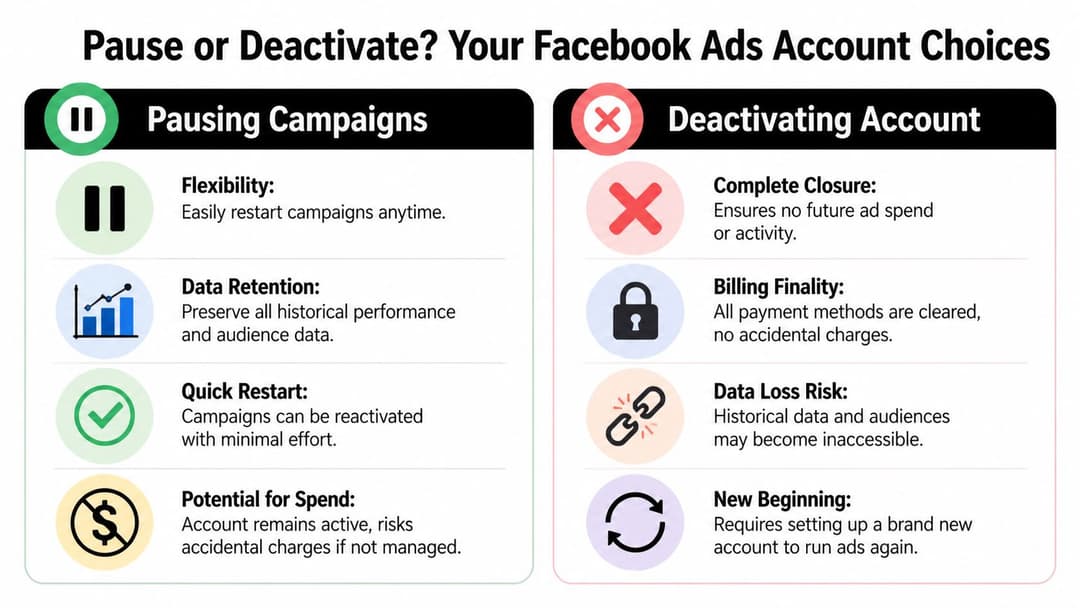
Pausing is an execution choice. Deactivation is an infrastructure choice.
When pausing is the better move
Pause campaigns if the business interruption is temporary. That includes seasonal holds, inventory issues, creative refresh windows, budget freezes, or a short compliance review. In those cases, the account itself still has value.
Pausing keeps your campaign architecture intact. Your team can restart faster because the account, history, and setup still exist inside the same operating environment. That’s usually the right call if the account has useful learnings, stable permissions, and no reason to be retired.
If you’re only trying to stop spend, this guide on how to cancel Facebook ads is closer to what you need than a full account shutdown.
When deactivation makes more sense
Deactivation is cleaner when the relationship or entity is ending. If a client has left, if legal wants the account retired, or if your team is consolidating under a different structure, you want finality. You’re reducing the odds of accidental reactivation, stray charges, or someone publishing from the wrong place.
Here’s the trade-off in plain terms:
| Choice | Best use case | Main upside | Main downside |
|---|---|---|---|
| Pause campaigns | Temporary stop in spend | Fast restart, retained setup | Account stays live, so governance still matters |
| Deactivate account | Permanent closure or handoff | Cleaner operational shutdown | More friction if you later want the same setup back |
Pausing protects optionality. Deactivation protects finality.
The decision test I use
Ask three questions before you disable facebook ads account access on purpose:
- Will this account be used again soon? If yes, pause.
- Does the account still hold reporting or learning value? If yes, archive and export before anything permanent.
- Is the bigger risk accidental spend or future rebuild effort? Choose based on the more expensive mistake.
Many marketers deactivate too early because they’re solving an emotional problem, not an operational one. The account feels messy, risky, or politically inconvenient, so they shut it down. That can be the right move, but only when you’re sure you no longer need the account’s history, structure, and attached workflow.
The Correct Way to Deactivate a Facebook Ad Account
The cleanest deactivation starts before you open Business Settings. If you skip prep, you increase the odds of lingering charges, confused stakeholders, and missing data.
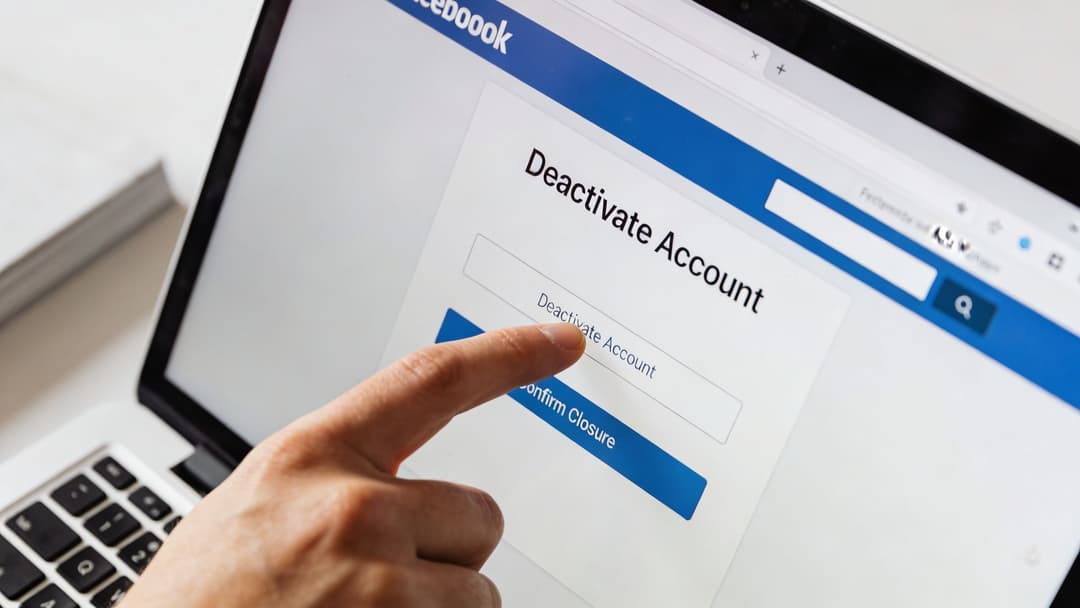
You need Admin permissions in Business Manager. If you don’t have them, stop there and fix access first. Don’t try to orchestrate shutdown by asking someone else to “just click deactivate” while you handle cleanup in parallel. That’s how teams miss payment issues and forget exports.
What to do before you click deactivate
According to Graphed’s walkthrough on deactivating a Facebook ad account, the direct path is Business Settings > Ad Accounts, select the account, and click Deactivate. The same source notes two common pitfalls: outstanding payments can lead to post-deactivation billing, and failing to pause campaigns first creates avoidable risk. It also states that a pre-deactivation audit to halt all running ads reduces liability by 90%.
That pre-work matters more than the button.
Use a short shutdown checklist:
Pause all active campaigns
Check delivery status inside Ads Manager, not just campaign names or assumptions. If anything is still delivering, stop it before the account status changes.Reconcile billing
Review pending charges, recent spend, and payment method status. If finance later asks why a closed account still posted a charge, the answer lies in this reconciliation.Export historical reporting
Pull the performance views your team uses. Don’t rely on memory that “we can always grab it later.”Document ownership and reason
Note who approved the closure, why it happened, and which assets still matter.
If you manage multiple accounts, keep the target account ID and client name in your notes before entering settings. Wrong-account deactivation is a very expensive clerical error.
The actual click path
Once prep is done, the process is straightforward.
- Log into Ads Manager.
- Open the menu and go to Business Settings.
- In the left navigation, choose Ad Accounts under Accounts.
- Select the correct ad account.
- Open the action menu and choose Deactivate.
- Confirm the action and any requested reason.
For teams managing complex structures, this overview of Facebook ad account setup and management can help you verify you’re acting on the right account before you retire it.
A short walkthrough can help if you’re handing this to an operations lead or junior buyer:
The practitioner step most guides miss
If your team uses AI-assisted campaign systems, export before shutdown. That includes any historical performance snapshots, naming conventions, creative taxonomies, and audience-performance notes that your workflow depends on. A deactivated account may still feel “available” in your head because the business still exists, but the workflow you built around it can break immediately.
Don’t treat deactivation as a UI action. Treat it as a controlled shutdown of a revenue system.
That’s especially important during client offboarding. The ad account isn’t just spend access. It often contains the cleanest record of creative testing history, audience exclusions, offer fatigue patterns, and scaling sequences your team learned the hard way.
Managing Billing and Data After Deactivation
The moment after deactivation is where stakeholders start asking the questions that should’ve been answered before it. Did spend really stop? Will billing continue? What happened to our past campaign data? Can we still analyze results for planning or board reporting?

Billing after shutdown
The clean answer is this: deactivation should stop future ad activity, but it doesn’t erase obligations already created. Pending charges, unsettled balances, or charges processed after prior delivery can still become finance work after the account is closed.
That’s why I treat billing as a separate workstream from deactivation itself. The marketer handles closure. The operator or finance partner confirms that payment methods, balances, and final invoices align with what the account delivered.
If your team benchmarks acquisition efficiency across channels, pair that final audit with your wider Facebook ads cost analysis and reporting process. Otherwise, you’ll close the account cleanly but leave the business with messy attribution and unresolved spend questions.
What happens to data you still care about
For performance marketers, the bigger issue is usually data, not the button click. Historical campaign data may still matter for budget planning, creative retrospectives, client closeout decks, and model training outside Meta.
The difference between voluntary deactivation and forced disablement carries strategic importance. Cropink’s guide to disabled account appeals reports that recovery success rates for disabled accounts average 20 to 35%, and drop to less than 5% after 180 days. That’s about disabled accounts, not voluntary deactivations, but it highlights the same operational truth: once account access gets messy, your options narrow fast.
What to preserve before shutdown
- Performance exports: Save the reports your team references, not just top-line summaries.
- Creative history: Keep copies of ad text, images, video references, and naming logic tied to outcomes.
- Audience notes: Document exclusions, overlaps, and targeting lessons if they live mostly in buyer memory.
- Pixel and event context: Record what was connected and why, especially if another team will rebuild elsewhere.
Historical data is more valuable during an offboarding or rebuild than during routine campaign management, because people lose context the moment the account disappears from daily use.
For AI-driven teams, this matters even more. If your workflow uses past results to rank messages, audiences, or creative patterns, preserve that signal before you shut down the source system.
Troubleshooting Common Deactivation Problems
Sometimes the account won’t deactivate even when the steps are right. In most cases, the issue isn’t the button. It’s one unresolved dependency.
Problem with permissions
If the deactivate option is missing or unavailable, check your role first. Only the right level of admin access can complete the action. This happens a lot in agencies where the buyer can launch ads but can’t close infrastructure.
Fix the role before doing anything else. Workarounds create handoff errors.
Problem with billing holds
The second common blocker is money. A pending balance, failed payment method, or unresolved charge can keep the account from closing cleanly. Review billing settings, recent invoices, and payment status line by line.
A tiny unresolved balance can create the same problem as a large one. The platform doesn’t care that the amount feels insignificant.
Problem with policy friction
In high-risk verticals, compliance issues can complicate what looks like a simple closure process. AdStellar’s review of Facebook ads account disablement patterns notes that in categories like health and finance, Meta’s ad rejection and flag rates can climb to 10 to 15% or more. If the account has recent policy friction, restrictions elsewhere in the business may affect what actions are available.
That doesn’t mean every deactivation error is a policy problem. It means you shouldn’t ignore policy history while diagnosing access or closure issues.
Fast diagnosis checklist
- No deactivate option: Confirm Business Manager admin rights.
- Error during confirmation: Check for unpaid balances or pending billing issues.
- Account already restricted: Determine whether you’re dealing with voluntary closure or a disabled state instead.
- Confusion across assets: Verify whether the ad account, personal profile, or Business Manager is the thing blocked.
If you suspect the issue is broader than account closure, use a separate diagnostic path. This overview of a blocked Facebook account and related restrictions is useful when the visible error in Ads Manager is only a symptom of a larger access problem.
If Meta has restricted the account, stop trying to “deactivate your way out” of the issue. You need the correct status diagnosis first.
Reactivating an Account and Strategic Alternatives
A voluntary deactivation isn’t always permanent. In many cases, you can reactivate through the same account settings path if the business decision changes. That’s one reason not to panic-close everything during a rough month. Performance problems, creative fatigue, and internal pressure aren’t the same as structural reasons to retire an account.
Still, reactivation isn’t the only question worth asking. The better one is whether your operating model is creating unnecessary account risk in the first place.
What reactivation solves and what it doesn’t
Reactivation can restore access to a previously deactivated account, but it doesn’t fix weak governance. If the original setup had sloppy permissions, unclear ownership, unstable billing workflows, or scattered creative standards, turning it back on just recreates the same conditions.
A stronger approach is to rebuild process before you rebuild spend.
That means tightening campaign publishing rules, documenting landing page consistency, controlling budget ramps, and reducing the kinds of automation patterns that can look suspicious without context.
The strategic alternative to repeated account drama
One issue too many guides miss is how scaled production workflows can create disablement risk even when the team isn’t trying to break rules. Jetski Shaman’s writeup on removing ad account restrictions notes that existing guides often ignore how bulk ad creation tools can inadvertently trigger disablements, and that 2025 to 2026 case studies show AI-scaled creatives with low-variance landing pages are increasingly correlated with post-approval disabling.
That doesn’t mean you should abandon automation. It means you need disciplined automation.
A few strategic alternatives are usually smarter than defaulting to closure:
- Slow down publishing cadence when introducing new creative clusters.
- Increase variation quality so ads don’t look like mass-produced duplicates.
- Separate testing from scaling workflows to reduce noisy account behavior.
- Keep a tighter asset map across Pages, domains, payment methods, and account ownership.
If your team uses AI for campaign production, use tools that help structure, not just accelerate, that workflow. AdStellar AI is one example. It connects to Meta Ads Manager through OAuth, ingests historical performance, and helps teams launch and test multiple creative, copy, and audience combinations while keeping campaign structure centralized. Used well, that kind of system can support cleaner governance. Used carelessly, any automation layer can magnify bad process.
The point isn’t to disable facebook ads account access faster. It’s to build an environment where you rarely need to.
If your team is trying to protect account stability while still launching volume, AdStellar AI is worth evaluating. It’s built for Meta advertisers who need structured bulk creation, historical performance learning, and clearer campaign workflows without relying on improvised spreadsheets and rushed manual publishing.