We’ve all been there. You hit ‘Share’ on a post you’ve spent ages perfecting, only to spot a glaring typo in the first line. Ugh. But fixing mistakes is just the tip of the iceberg now. Knowing how to edit an Instagram post has become a seriously strategic move for squeezing every last drop of performance out of your content.
On today’s crowded feed, a quick, smart edit can be a total game-changer.
Why Editing Your Instagram Posts Is a Strategic Move

Editing an Instagram post isn’t just about damage control anymore. It's become a key part of a flexible content strategy, giving marketers a second chance to grab attention and drive results. Think of it as a powerful optimization tool you can deploy at a moment's notice.
The ability to refine a post after it’s live is more important than ever. With organic reach constantly being squeezed, every single post needs to work as hard as possible. A simple tweak to a caption, adding a forgotten tag, or even reordering the slides in a carousel can give a post new life and turn a flop into a win.
Capitalize on the Golden Hour
Those first 30-60 minutes after you publish are absolutely critical. This is the "golden hour" when the Instagram algorithm gets its first impression of your post, measuring initial engagement to decide how far it should be pushed. A quick edit can make all the difference here.
For example, if you see the comments are dead silent, rewriting your call-to-action (CTA) or adding a more provocative question can get the conversation started. This ability to react to real-time feedback is invaluable. If you're looking for more ways to get your posts seen, you might be interested in our guide on https://www.adstellar.ai/blog/how-to-promote-on-instagram.
As post reach plummeted by 31% from an average of 9,877 in 2025 to just 6,754 in 2026, the ability to make quick edits has become a powerful tool. Marketers who edit within this key engagement window see up to 27% higher impressions on their feed posts.
Evolve Your Content Strategy
Thinking about editing as a strategic tool aligns with broader content marketing best practices because it allows for continuous improvement. It lets you:
- Test and Refine: See what your audience is actually responding to and make adjustments on the fly.
- Improve Accessibility: Add or fix Alt Text to make your content more discoverable and inclusive.
- Refresh Hashtags: Swap out underperforming tags for ones that are more relevant or currently trending.
This kind of flexibility transforms your Instagram feed from a static, unchangeable gallery into a truly responsive marketing channel.
So, you’ve hit “Share” on your latest Instagram post, and then you spot it—a glaring typo in the caption or a missed opportunity to tag a collaborator. We’ve all been there. It’s that sinking feeling that you’ll have to delete the whole thing and lose all that precious early engagement.
Good news: you probably don’t have to.
Let's walk through how to edit a standard photo or video post right from your phone, which is where most of us are managing our accounts anyway.
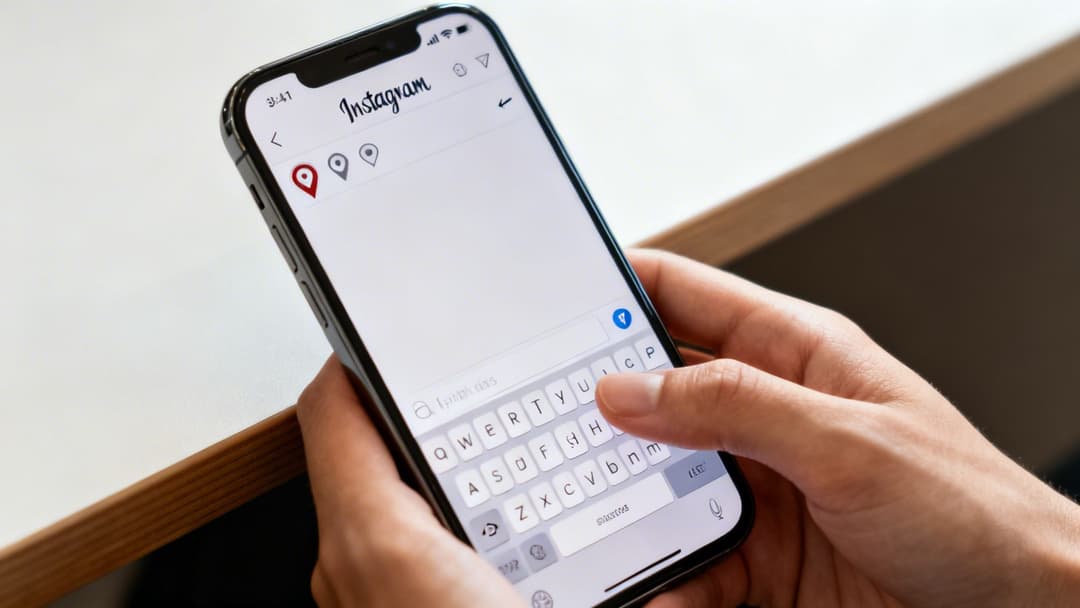
The process itself is simple. Just pull up the post you want to fix on your profile. See the three-dot icon (...) in the top-right corner? Tap that, and a menu will pop up. From there, select Edit.
This is where you'll find what you can and can't change. Understanding these limitations is the key to a quick fix versus a major headache.
Instagram Post Editing: What You Can and Cannot Change
When you enter edit mode, you'll see that Instagram gives you a decent amount of control to tweak your post. It’s a bit of a mixed bag, though. Here’s a quick-reference table to show you exactly what’s on the table.
| Editable Element | What You Can Do | What You Cannot Do |
|---|---|---|
| Media | Add/edit alt text. | Replace, reorder, crop, or add filters to the photo or video. |
| Caption | Completely rewrite the text, fix typos, and add or remove mentions. | Cannot be edited from the desktop version of Instagram. |
| Hashtags | Add new hashtags to the caption or remove existing ones. | Cannot add or edit hashtags in the first comment via the edit screen. |
| People Tags | Tag new accounts in the photo/video or remove existing tags. | Tagging is not available for all account types or content formats. |
| Location | Add a location tag if you forgot one, or change/remove the existing location. | Cannot add a location that doesn't exist on Instagram's map. |
| Music | This is locked. You cannot add, remove, or change the audio track after posting. | Change the song, remove the song, or adjust which part of the song plays. |
| Product Tags | Add or remove product tags if you have an Instagram Shopping account. | Cannot tag products if you are not approved for Instagram Shopping. |
| Comments | You can pin comments. | You cannot edit the text of anyone's comment, including your own. |
| Paid Promotion | Add a "Paid partnership" label after posting. | Cannot remove the label once it's added to a post that's part of an active branded campaign. |
As you can see, you can fix most of the common slip-ups. You have the power to clean up your caption, tag the right people, add a location, and even optimize your hashtags or alt text for better reach.
These post-publish edits are lifesavers for correcting mistakes or fine-tuning your strategy based on how the post is performing.
- Caption & Hashtags: Go ahead and fix that typo, rewrite your call-to-action, or swap out some underperforming hashtags.
- Tags & Location: Forgot to tag a brand or a friend? You can add them in. You can also add a location to get your post seen in location-based searches.
- Alt Text: This is a huge one for accessibility and SEO. You can add or edit alt text to describe the image for visually impaired users and help Instagram’s algorithm understand your content.
But here’s the one thing you absolutely cannot change: the photo or video itself. Once it's up, it's up for good. If you uploaded the wrong image or notice a flaw, your only real option is to delete the post and start over. It's a pain, but it's better than leaving up a visual that doesn't meet your standards. To avoid this, it helps to nail the visuals from the start, and our guide on the best sizes for Instagram photos can help prevent those common formatting mistakes.
Advanced Edits for Carousels and Reels
Editing a single image post is one thing, but the real magic happens when you start tweaking multi-part content like Carousels and Reels. These formats are engagement goldmines, and knowing how to fine-tune them after they go live gives you the kind of optimization power that performance marketers dream about.
Let’s talk about Carousels. They aren’t locked in place once you hit “Share.” One of the most powerful post-publish edits you can make is changing the slide order or even deleting an underperforming slide. This is basically on-the-fly A/B testing.
Imagine you’re a shoe brand and you’ve just posted a five-slide carousel for a new sneaker. If your analytics show a huge drop-off on the third slide—maybe it's a lifestyle shot that just isn't landing—you can pop in and delete it instantly. This bumps your stronger fourth and fifth slides up in the sequence, which can rescue the post's flow and boost your overall engagement.
It’s surprisingly simple to do. Just tap the three-dot menu on your post and hit Edit. You’ll see a little trash can icon on the top-left of each slide. Tap that to delete a slide. You can also reorder the remaining slides by dragging and dropping them into a better sequence.
Adjusting Your Instagram Reels
Now, when it comes to Reels, the rules are a bit different. Here’s the big one: you cannot replace the core video file once it's live. That's a hard limit. But don't worry, you still have plenty of control to fix mistakes or improve performance.
The good news is you can still make several crucial adjustments:
- Cover Photo: Your initial choice wasn't great? Swap it out for a cover image that pops on your grid and better teases the video’s content.
- Caption and Hashtags: Just like any other post, you can completely rewrite the caption, fix typos, or switch up your hashtags to jump on a new trend.
- Location and People Tags: Forgot to tag a collaborator or add a location? You can easily add or edit those to make sure your Reel shows up in local searches and the right accounts get credit.
Sometimes, though, a simple edit won't cut it. If the audio trend your Reel used is now totally irrelevant or you notice a glaring mistake in the video itself, your best bet is to cut your losses. Save the video to your phone, delete the post, and re-upload it with the fixes. You’ll lose the initial engagement, but it’s worth it to keep your content quality high.
For a deeper dive into creating these multi-image posts from scratch, be sure to check out our guide on how to create a carousel post on Instagram.
Managing Edits in Meta Business Suite
If you're a brand, agency, or social media manager, editing an Instagram post goes way beyond the mobile app. For professionals, the Meta Business Suite is your control room, especially when you're juggling scheduled content or running paid promotions.
Editing a post you've scheduled is a lifesaver. It lets you fix a typo or swap out a tag before the post ever sees the light of day. Just head over to your content calendar in the suite, find the post, and you can polish the caption, fix the tags, or even move it to a better time slot without any headaches.
Handling Edits for Boosted Posts
Editing a boosted post, on the other hand, is a different ballgame. Once you put ad spend behind a post, Instagram locks down most of the creative elements. Why? Because changing the image or caption mid-campaign would mess with the ad's delivery, skewing your performance data and confusing the algorithm.
So, you don't edit a live, boosted post—you replace it. The professional workflow involves duplicating the ad, not modifying it directly.
Here’s how it works:
- First, you’ll need to pause the original ad campaign in Ads Manager.
- Next, duplicate the ad set that contains the post you want to change.
- In that new, duplicated ad set, you can make all the changes you need to the post's copy, creative, or tags.
- Finally, launch the new ad set as a completely fresh campaign.
This process gives your new, corrected ad a clean slate while keeping all the valuable performance data from the original. You can get a deeper dive into these tools in our complete guide to the Meta Business Suite. Of course, for any of this to work smoothly, you first need to properly link your Facebook and Instagram accounts.
The flowchart below breaks down the simple process for tweaking a carousel post, a common task for marketers trying to perfect their content's story.
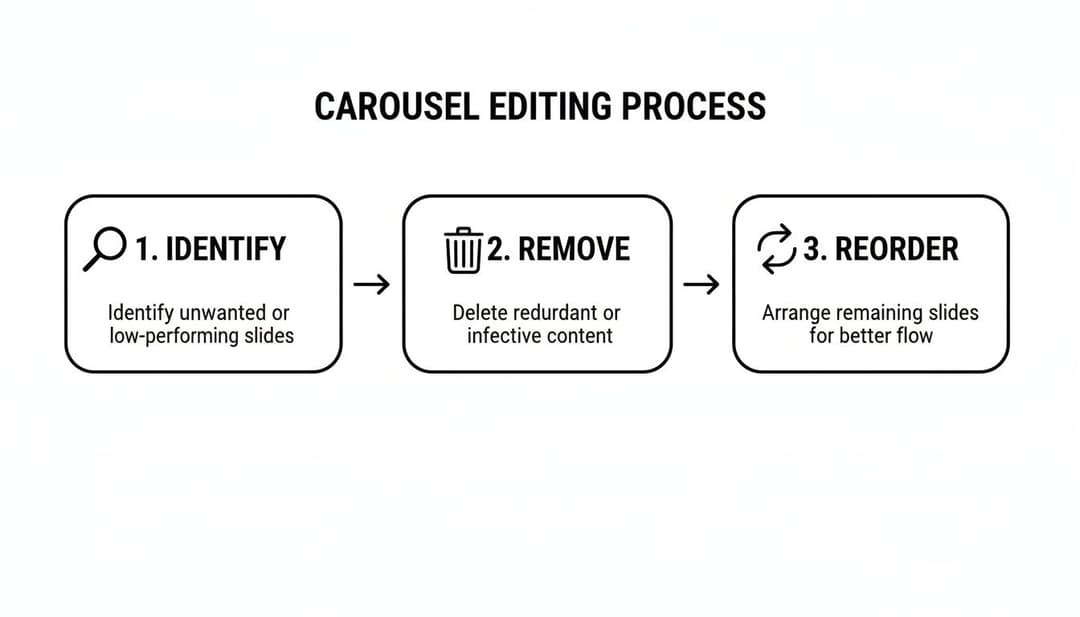
As you can see, you can identify a slide that's out of place, remove it, and reorder the remaining slides to create a much stronger narrative flow, even after the post is live.
Strategic Tips for Post-Publication Edits
 Hitting "Share" doesn't have to be the end of the story. Think of it as the beginning. Knowing how to edit a post on Instagram isn't just about fixing a stray typo; it’s about making your content work smarter for you long after it goes live. A few strategic tweaks can completely reignite a post’s reach and get the engagement rolling again.
One of the most powerful, and frequently missed, opportunities lies in your post’s Alt Text. Instagram generates a default description, but you can—and should—do better. Manually editing the Alt Text to include specific, descriptive keywords gives the algorithm a much clearer picture of your content. This small step improves your odds of landing on the Explore page and makes your posts accessible to visually impaired users.
Refresh Your Hashtags for a Second Wind
Ever watch a post’s engagement just flatline after a few hours? More often than not, your hashtags are the culprit. Don't hesitate to jump back into the editor and swap out those underperforming tags for better ones. A little fresh research can help you find more relevant or trending hashtags, giving your post a second life in entirely new discovery feeds.
The Golden Hour Rule: I live by this. Any strategic changes you make within the first 30-60 minutes can have an outsized impact on performance. The algorithm is paying close attention to initial engagement, and a quick, smart edit can trigger a fresh push.
Refine Your Call-to-Action Based on Feedback
Your first wave of comments is pure gold. Pay close attention to what people are saying, or what they're not saying. Is your call-to-action (CTA) landing with a thud? Are people asking questions you didn't see coming? This is your chance to adapt on the fly.
You can edit your caption to:
- Clear up confusion: Add a quick sentence that directly answers a recurring question from your comments.
- Strengthen your CTA: If a simple "link in bio" isn't sparking action, try asking a direct question to get a conversation started instead.
- Add a touch of urgency: If it fits the post, including a time-sensitive detail like "Sale ends tonight!" can be incredibly effective.
This approach turns a static post into a dynamic tool that responds to your audience in real-time. Of course, these edits are most powerful when you have a great post to begin with. To nail that, check out our complete guide on how to post on Instagram and Facebook.
Frequently Asked Questions About Editing Instagram Posts
Even with a solid plan, you're bound to run into a few specific, nagging questions when it comes to editing your Instagram posts. Let's clear up some of the most common dilemmas that trip people up right when they’re trying to make a quick fix.
Can I Edit the Photo or Video After Posting?
This is the big one, and unfortunately, the answer is a firm no. Once your post is live, Instagram doesn't let you swap out the photo or video, add a new filter, or make any changes to the media itself. It’s a core limitation of the platform.
The only real exception here is with carousels. You have the flexibility to delete an underperforming or incorrect slide from a carousel post, which can be a lifesaver. But if you’ve uploaded the wrong single image or video, your only move is to delete the post and start over.
Does Editing an Instagram Post Affect Engagement?
Good news: editing a post won't reset your existing likes, comments, or shares. But the timing and nature of your edit can definitely influence future engagement.
Smart edits made within the first 30-60 minutes—what many marketers call the "golden hour"—can actually give your post a fresh push. Tweaking the caption hook or swapping out a few hashtags can signal to the algorithm that you're refining the content, potentially showing it to a new wave of users.
Can I Add a Collaborator After I Post?
No, you can't add a collaborator once an Instagram post has been published. The collaboration invite has to be sent and accepted before the post goes live.
If you forgot this crucial step, the best workaround is to simply tag their account in the photo and @mention them prominently in the caption. It’s not a perfect solution, but it ensures they still get notified and their audience can find the post.
How Long After Posting Can I Edit a Post?
There’s no expiration date on edits. You can edit an Instagram post at any time, whether it's been five minutes or five years since you published it.
This means you can always go back to update your caption, add or change tags, fix a location tag, or improve your alt text whenever you need to.
Ready to stop guessing and start scaling? With AdStellar AI, you can launch, test, and optimize hundreds of Meta ad variations in minutes, not hours. Let our AI uncover your winning creatives and audiences so you can double down on what works and drive more revenue, faster. Start your journey to smarter ad campaigns at https://www.adstellar.ai.