Getting your Instagram Stories format right is the first—and most critical—step to creating content that actually gets noticed. The foundation for every great Story is a vertical 9:16 aspect ratio with dimensions of 1080x1920 pixels. This full-screen layout is non-negotiable if you want to create an immersive experience that stops users from swiping past your content.
The IG Stories Format Quick Reference Guide
Before you even think about the creative, you need to nail the technical specs. These aren't just suggestions; they're the rules of the road for Instagram Stories. Getting them wrong means your content could end up looking pixelated, awkwardly cropped, or fail to upload altogether.
For anyone running paid campaigns or managing a brand's presence, these numbers are your best friend. A perfectly formatted Story loads quicker, looks more professional, and feels native to the user's feed. This attention to detail has a direct line to your engagement metrics and the overall success of your campaign.
Core IG Story Specifications
This visual breaks down the most important specs you need to commit to memory—dimensions, aspect ratio, duration, and file size. Keep these in mind before you hit export.
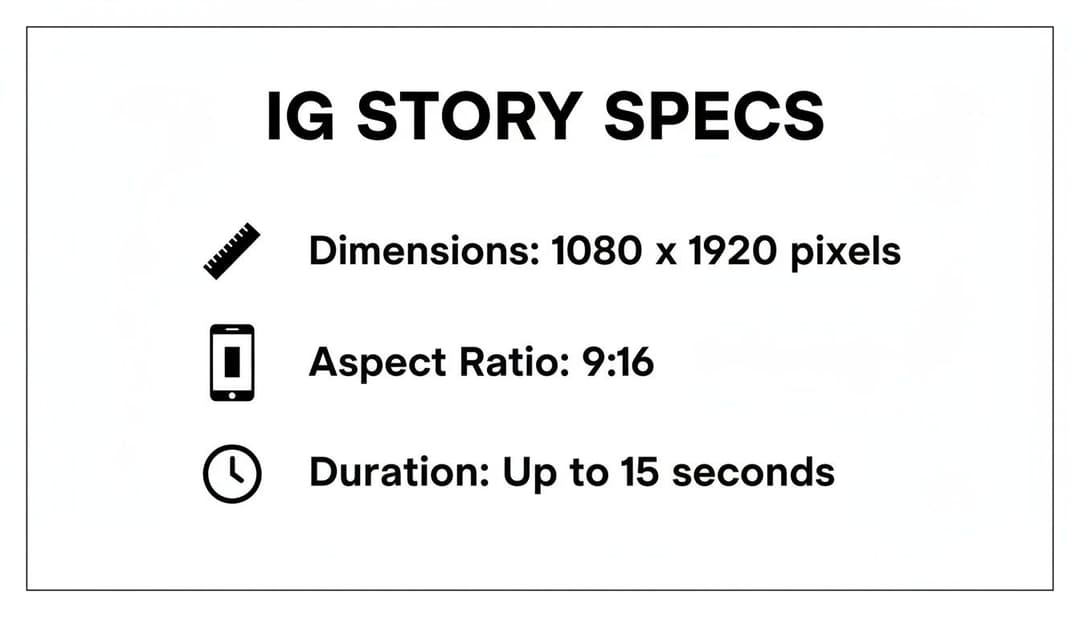
As the infographic shows, creating effective Stories is a balancing act between creative ambition and technical constraints. For example, you need to keep your video clips under 60 seconds and your image files under 30 MB.
Here’s a quick reference table with all the essential specs you should have handy. Use this as a final checklist before exporting your assets to make sure they’re good to go.
Instagram Stories Technical Specifications 2026
| Specification | Requirement |
|---|---|
| Dimensions | 1080 x 1920 pixels |
| Aspect Ratio | 9:16 |
| Video Duration (Organic) | Up to 60 seconds per Story segment |
| Video Duration (Ad) | 1-60 seconds (15 seconds recommended) |
| Image Duration (Organic) | 5 seconds |
| Max File Size (Video) | 4 GB |
| Max File Size (Image) | 30 MB |
| Recommended File Types | MP4, MOV (Video); JPG, PNG (Image) |
Of course, these details are just one piece of the puzzle in Meta's vast advertising ecosystem. To see how these specs fit into the bigger picture, check out our complete guide to Meta ad sizes.
Why IG Stories Are a Goldmine for Meta Advertisers
If you’ve only focused on mastering the technical specs of Instagram Stories, you're missing half the picture. To truly succeed, you need to understand why this format is such a powerhouse for advertisers. Its dominance isn't some happy accident; it’s built on user psychology, making it an essential placement for any serious performance marketer.
The magic is in its fleeting, 24-hour lifespan. This creates a natural sense of urgency and authenticity that a polished feed post just can't replicate. Users see Stories as raw, in-the-moment content, which helps lower their natural defenses against advertising and encourages genuine engagement. It’s a classic case of FOMO (Fear of Missing Out) compelling people to watch before the content vanishes for good.
The Numbers Don't Lie: Unmatched User Engagement
The engagement behind Stories is just massive. Since launching, they have become a daily habit for over 500 million users—that’s nearly a quarter of Instagram's entire user base tuning in every single day.
And this huge audience isn't just scrolling by. Stories have an incredible 70% completion rate, which completely dwarfs the 10-20% you typically see for in-feed video. For an advertiser, that means your message is far more likely to be heard from start to finish. Even better, brands using interactive features like polls and question stickers often report 2x higher click-through rates, turning passive viewers into active participants.
The real secret to the IG Stories format is its full-screen, immersive design. When a user is watching a Story, your brand commands their complete, undivided attention on mobile. For any advertiser, that kind of focus is rare and incredibly valuable.
Built from the Ground Up for Action and Conversion
Beyond just grabbing eyeballs, the IG Stories format is engineered for one thing: conversion. Its vertical, full-screen layout perfectly matches how we all naturally hold our phones. This creates a seamless viewing experience where users never have to rotate their device or break their flow.
This native feel is exactly why Story ads feel so much less jarring. When you get the creative right, your ad blends right into a user’s feed, looking like just another update from a friend or a creator they follow. This seamless integration makes people far more open to your call-to-action, whether it's a "Swipe Up" to your website or a tap on a product tag.
- Immersive Experience: The 9:16 aspect ratio fills the entire screen, cutting out distractions and putting all the focus on your ad.
- Interactive Features: Native tools like polls, quizzes, and sliders transform passive viewing into active participation, which sends powerful positive signals to Meta's ad algorithm.
- Direct-Response Focus: The prominent CTA button and swipe-up link make it dead simple for users to take the next step—visit a site, download an app, or make a purchase.
To get the most out of your Instagram ad budget, you have to understand the strategic pros and cons of each format. For instance, knowing the difference between Story and Reels will help you allocate your spend much more effectively. Ultimately, the IG Stories format offers a potent mix of massive reach, deep engagement, and direct-response tools that advertisers simply can't afford to ignore.
Getting your Instagram Story specs right is about more than just knowing the 9:16 aspect ratio. It’s about mastering the small, technical details that Meta’s platform relies on to serve up a sharp, high-quality experience. If you get these right, your content loads fast, looks crisp, and you’ll sidestep those dreaded upload errors. Think of these specs as the blueprint for every single Story you create.
For instance, picking the right video codec can make a huge difference in how smoothly your ad plays, especially for someone on a spotty connection. Every detail, from the file type to the audio bitrate, adds up to a better user experience—and ultimately, better ad performance.
Dimensions and Aspect Ratio
Let's start with the basics. The dimensions and aspect ratio are the foundation of your Story creative. You have to get these exact to pull off that immersive, full-screen look that makes Stories so powerful.
- Dimensions: 1080 x 1920 pixels. This is your standard for a full HD vertical video. Stick to this resolution to keep your visuals sharp and professional.
- Aspect Ratio: 9:16. This is the vertical format that perfectly fills a smartphone screen. Sure, Instagram might let you upload other ratios, but they’ll get hit with ugly black bars (letterboxing), which instantly kills the seamless experience you’re going for.
Deviating from the 9:16 ratio is one of the most common mistakes I see. It immediately tells the viewer that the ad wasn't made for them or the platform, which can tank engagement right from the start.
File Types and Codecs
Choosing the right file format and encoding settings is non-negotiable for quality and compatibility. Instagram is pretty specific about what it wants, and following these recommendations ensures your media gets processed without a hitch.
The safest bets are always MP4 and MOV for videos, with JPG and PNG for images. When it comes to video, the gold standard is the H.264 codec paired with AAC audio. This is what Meta itself recommends for the best results.
Here’s a look at the official word from Meta on video formats. Pay attention to the details.
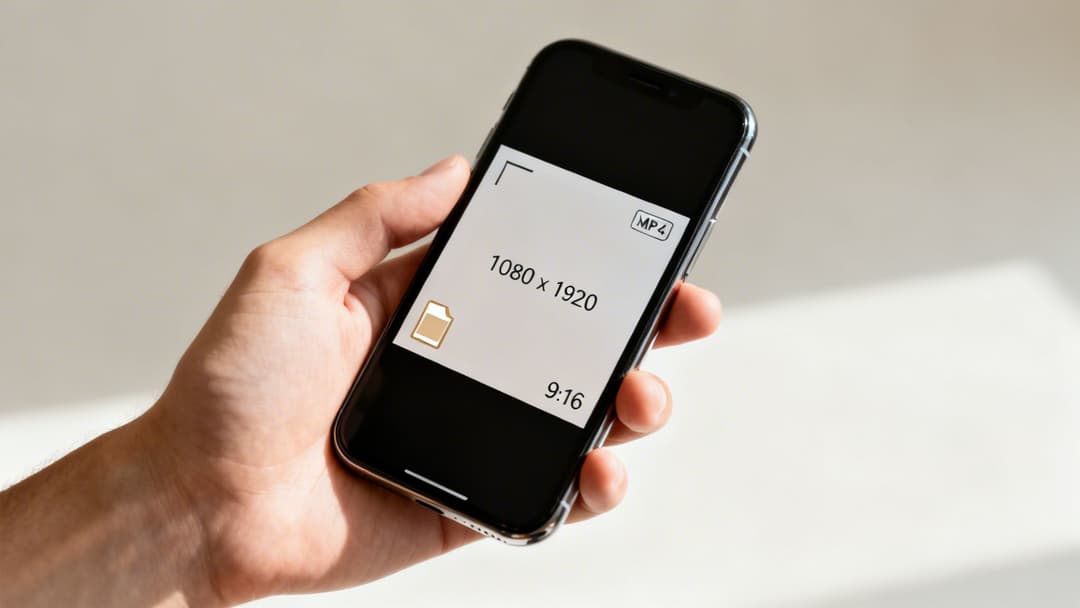
As you can see, technical points like fixed frame rates and progressive scan aren't just fluff—they're what prevent weird visual glitches and ensure your video plays back smoothly. These might seem like tiny details, but they make a huge difference in how professional your ad feels.
Duration and File Size Limits
Time and data are precious, both for the platform and for your audience. Instagram has firm limits on how long a single Story can be and how large of a file you can upload.
Key Insight: The sweet spot for Story ad length is 15 seconds. You can run videos up to 60 seconds, but our data consistently shows that shorter, punchier ads are far better at grabbing and holding attention.
Here are the hard limits you need to keep in your back pocket:
- Video Duration: Up to 60 seconds for an organic Story, which will be automatically chunked into segments. For ads, however, you should really stick to the 15-second best practice.
- Image Duration: A static image displays for 5 seconds by default.
- Video File Size: The max is 4 GB. That's massive, but you should always compress your video as much as possible without losing quality. This means faster uploads for you and quicker load times for your viewers.
- Image File Size: You have up to 30 MB to play with. This is more than enough for a high-quality 1080x1920 image.
Getting a handle on these technical specs is the first step to creating Stories that actually perform. If you want to go even deeper, you can find a complete breakdown in our detailed guide to Instagram Story specs. Trust me, mastering these rules will set your content miles apart from the competition.
Creative Best Practices for High-Performing Stories
Knowing the tech specs for Instagram Stories is one thing. Actually making Stories that stop the scroll and drive results? That's a whole different game. It’s where technical know-how meets creative strategy, turning a simple asset into a performance powerhouse.
The first three seconds are everything. In the blink-and-you'll-miss-it world of Stories, you have a razor-thin window to earn a viewer's attention. Your creative has to land an immediate punch with motion, a stunning visual, or a question they can't ignore.
And you have to do it silently. Assume your audience has their sound off—because over 60% of video ads are watched on mute. This makes text overlays and burned-in captions non-negotiable. They are essential for getting your message across, guiding the viewer from hook to call-to-action.
Design for the User Interface
It’s a rookie mistake we’ve all seen: a beautiful design that gets ruined by Instagram’s own interface. Designing for a clean 1080x1920 canvas is a great start, but you have to account for the UI elements that will inevitably cover your creative.
Your profile icon, username, and the reply bar at the bottom will obstruct parts of your ad.
The "safe zone" is your lifeline. This is the central part of the screen where your most important elements—the product, the offer, the CTA—must live. If you place anything critical outside this zone, you risk it being hidden, making your ad completely ineffective.
Always design with these overlays in mind. The best Stories feel native to the platform because they work with the interface, not against it.
Spark Engagement with Native Features
Great Stories don't just talk at people; they invite them into a conversation. Instagram gives you a whole toolkit of interactive features designed to pull your audience in and boost engagement.
- Polls and Quizzes: Ask a simple question about your product or a fun one about your industry. This tiny interaction can dramatically increase the time someone spends with your brand.
- Stickers and Sliders: Use an emoji slider, a location tag, or a countdown sticker. These features make your brand feel more human, relatable, and part of the Instagram community.
- Clear Call-to-Action (CTA): Tell people exactly what to do next. Whether it's "Swipe Up," "Shop Now," or "Learn More," your CTA needs to be unmissable and direct.
If you’re looking to up your production game, it’s worth checking out tools like Instagram's new mobile video editing app, Edits, which can seriously streamline your workflow. And for a dose of inspiration on what’s working right now, take a look at these powerful examples of video ads.
Optimizing Your IG Stories for Ad Conversions
Getting your technical specs right is just the first step. The real goal is turning those perfectly formatted Stories into actual leads, sales, and app installs. This is where you move past passive views and start tying every creative choice to a measurable business outcome.
Advanced formats like Carousel ads and Instant Experiences are your best friends here. They're built specifically to drive action further down the funnel.
Think about it: a Carousel ad lets you tell a bigger story. You can showcase multiple products from a new collection, walk a user through different features of your app, or break down a complex benefit into easy-to-digest steps. Each card gets its own headline, link, and creative, giving you more shots on goal to earn that conversion.
Then you have Instant Experiences (what we used to call Canvas ads). These are basically full-screen, mobile-first landing pages that load right inside Instagram. You can blend video, images, and even product feeds into a single, seamless journey without ever kicking the user out of the app. By slashing that friction, you can see a serious lift in conversions, especially for more considered purchases.
Aligning Creative with Campaign Objectives
Your creative has to match your campaign’s goal. It sounds obvious, but you’d be surprised how many ads miss the mark. A Story ad built for brand awareness should feel completely different from one designed to drive immediate sales.
Awareness and Reach: The goal is memory, not clicks. Use short, punchy videos with your branding front and center. Keep the message dead simple and the visuals impossible to forget.
Traffic and Engagement: Here, you want to get people tapping. Interactive elements like polls and quizzes are fantastic for this. Your main KPI is getting clicks to a landing page, so make that "Swipe Up" or CTA button unmissable.
Conversions and Sales: This is where you bring out the big guns. Use authentic, UGC-style creative that builds trust. Lean into direct response tactics like product tags, countdown stickers for flash sales, and irresistible offers.
The Power of Authenticity in Story Ads
The raw, temporary nature of Stories is their secret weapon, and that goes for ads, too. There’s a reason why 55.4% of influencers use Instagram Stories for sponsored campaigns. That fleeting format creates urgency, driving a 25% higher response rate on calls-to-action than feed posts. If you want to dive deeper, Meltwater has some great Instagram statistics and their impact on marketing.
For performance marketers, this is a crucial insight: polished, high-production studio creative often gets smoked by content that looks like it was shot on a phone.
Why? Because user-generated content (UGC) or ads that mimic the native Story style feel less like an interruption and more like a recommendation. They build instant trust.
This is a core tactic for juicing your return on ad spend (ROAS). When someone sees an ad that feels like it came from a friend, their guard comes down, and they're far more likely to convert. To really dig into this, check out our guide on boosting your Facebook ads conversion rate. The trick is to blend in with the organic feed while making your offer stand out.
Export Settings and Templates for Creative Tools
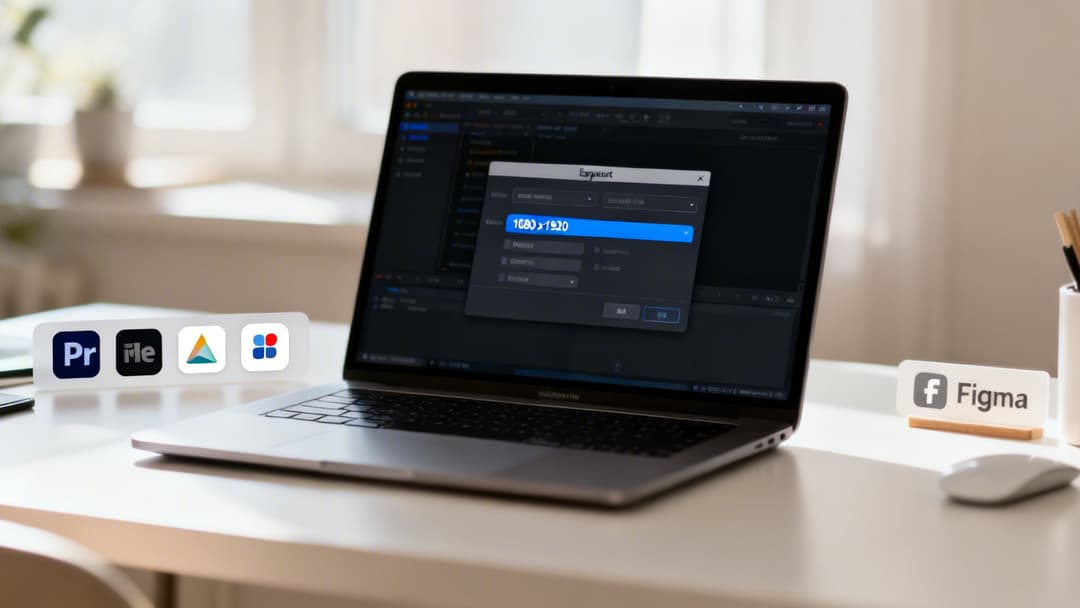
We've all been there. You spend hours getting a Story creative just right, hit export, and upload it only to find it's a pixelated mess. Or worse, Instagram just flat-out rejects it. Turning technical specs into the right export settings in your favorite design app can feel like a minefield.
Think of this section as your definitive cheat sheet. We're cutting through the noise to give you the exact, no-nonsense presets for the tools you actually use—from the Adobe Creative Cloud suite to Canva and Figma. Nail these settings, and your Stories will look crisp and professional every single time.
H3: Adobe Creative Cloud: Premiere Pro & After Effects
For anyone working with video in Adobe Premiere Pro or After Effects, the level of control is both a blessing and a curse. It's easy to get lost in the sea of options, but getting it right is non-negotiable for video quality.
Your main goal is to match the native 9:16 aspect ratio at a 1080x1920 resolution. Here are the core settings you need to dial in:
- Format: Always go with H.264. It’s the gold standard for web video, offering the best compression and compatibility.
- Preset: Start with "Match Source - High bitrate" and then tweak it from there.
- Frame Rate: Make sure this matches your source footage—usually 24, 25, or 30 FPS.
- Bitrate Settings: Choose VBR, 2 Pass and set a target bitrate between 10-12 Mbps. This is the sweet spot for balancing sharp quality against a reasonable file size.
Pro Tip: Before you export, always tick the "Render at Maximum Depth" and "Use Maximum Render Quality" boxes. It takes a little longer to render, but it makes a noticeable difference, especially with gradients or complex motion graphics.
H3: Canva & Figma: For Images and Simple Animations
If your team is building static images or straightforward animations in Canva or Figma, your life is a bit easier. These tools are designed with social media in mind, which streamlines the whole process.
The single most important thing is to start correctly. In both platforms, you must set up your artboard or canvas to 1080x1920 pixels from the very beginning. This ensures every element you create is perfectly sized for the native IG Stories format.
And if you want to really put your creative production on the fast track, don't start from a blank slate. You can find tons of professionally designed layouts, like our collection of free ad templates, that are already optimized with these specs.
Story Export Presets for Creative Software
Nailing the export is the final step. Getting one setting wrong can ruin an otherwise perfect creative. This table breaks down the optimal settings for the most popular design tools.
| Setting | Adobe Premiere Pro | Canva | Figma |
|---|---|---|---|
| Canvas/Artboard Size | 1080x1920px | 1080x1920px | 1080x1920px |
| Video Format | H.264 | MP4 Video | Not Applicable |
| Static Image Format | PNG or JPEG | PNG (for quality) | PNG or JPG |
| Bitrate (Video) | 10-12 Mbps (VBR, 2 Pass) | Handled automatically | Not Applicable |
| Scale (Static) | Not Applicable | Locked to canvas size | 1x |
Following these guidelines ensures your final output is perfectly optimized for Instagram's platform, avoiding any nasty surprises with compression or formatting after you upload.
Your Top Questions About The IG Stories Format, Answered
Even when you have all the technical specs and creative guides memorized, some nagging questions about the IG Stories format always seem to pop up. These are the little details that can trip up even seasoned marketers and designers, leading to frustrating upload errors, blurry videos, or wasted ad spend. Let's tackle those common sticking points head-on.
Think of this as your final checklist for mastering every last detail of the Instagram Stories format. From the tricky world of music licensing to preserving video quality after compression, we've got you covered.
Can I Use Popular Music In My Story Ads?
This is one of the most common—and potentially costly—mistakes a brand can make. The short and simple answer is no, you cannot use popular, copyrighted music in your Instagram Story ads unless you've secured the proper commercial license for it. The fact that a track is available in the personal Instagram music library means absolutely nothing for advertising.
Using a hit song in your ad without permission is a fast track to legal headaches. It can also get your ad account flagged or even shut down by Meta.
- Here's what to do instead: Explore Meta's Sound Collection. It’s a library packed with thousands of royalty-free tracks and sound effects that are already cleared for commercial use across all of Meta's platforms, including your Story ads.
- Commission custom music: If your budget allows, working directly with a composer to create a unique track can be a seriously powerful branding move.
- Use a licensed music service: Platforms like Epidemic Sound or Artlist offer subscriptions that give you commercial licenses for their huge music libraries.
Always, always double-check the license terms. Assuming a track is safe just because you've seen others use it is a dangerous gamble for your business.
How Do I Compress My Video Without Losing Quality?
We've all seen it: a beautiful video ad that looks perfect in the editing software but turns into a pixelated mess the moment it's uploaded to Stories. That dreaded quality drop almost always comes down to poor compression settings. Instagram is going to re-compress whatever you give it, so your job is to provide the best possible starting point.
The secret lies in exporting with a variable bitrate (VBR) instead of a constant one (CBR). A 2-pass VBR setting is the gold standard here. This process tells your video editor to analyze the entire clip twice, dedicating more data to complex, high-motion scenes and less to the simple, static parts.
Practical Example: Picture a Story ad that opens with a static shot of your logo (low complexity) before cutting to a fast-paced product demo (high complexity). A 2-pass VBR will intelligently use a lower bitrate for the logo and save its data budget for the action sequence. The result is a much sharper final video without a massive file size.
For a standard 1080x1920 video, aim for a target bitrate between 8-12 Mbps. Going lower risks those blocky compression artifacts, while going much higher is often just wasted data that Instagram's own algorithm will discard anyway.
Why Is My Story Getting Cropped Or Showing Black Bars?
This problem almost always comes down to one thing: a mismatched aspect ratio. The IG Stories format is built for a perfect 9:16 aspect ratio. If your creative isn't exactly 1080x1920 pixels, Instagram will try its best to make it fit, and the results are never what you want.
- Problem 1: Black Bars (Pillarboxing/Letterboxing): This happens when you upload a video or image that isn't 9:16. For instance, a widescreen 16:9 video will get black bars slapped on the top and bottom to fill the vertical screen, immediately screaming "this doesn't belong here."
- Problem 2: Unwanted Cropping: If your creative is almost 9:16 but not quite right, Instagram might just zoom in to fill the screen. This can chop off vital parts of your image, your call-to-action, or your carefully placed text.
The only real fix is prevention. You have to start your design process on a canvas or artboard that is set to 1080x1920 pixels. Don't try to eyeball it or scale up a creative that was built for a different placement. This simple discipline is what ensures your content looks native, polished, and professional every single time.
How Can I Troubleshoot Common Upload Errors?
Getting that vague "upload failed" message is one of the most maddening experiences on the platform. The error messages themselves are rarely helpful, but the culprit is usually one of a few common technical mistakes. Before you get lost in the Meta support maze, run through this quick diagnostic checklist.
- Check Your File Type: Is your video an MP4 or MOV? Is your image a JPG or PNG? Anything else is asking for trouble. Stick to the basics.
- Verify the Video Codec: Your video needs to use the H.264 codec. It's the most reliable and widely supported option for Instagram's system.
- Confirm the Audio Codec: Audio has to be AAC. An incompatible audio format can cause the entire video upload to fail, even if the video part is perfect.
- Review the Frame Rate: Instagram much prefers a constant frame rate, like 30 FPS. Variable frame rates, while useful in other contexts, can trip up the upload processor.
- Examine File Size: While the official limit is a generous 4 GB, massive files can easily time out during the upload process, especially on a weaker connection. If you suspect this is the issue, try re-exporting at a slightly lower bitrate to shrink the file down.
Stop wasting time on manual ad creation and start scaling your campaigns effectively. With AdStellar AI, you can generate hundreds of optimized ad variations in minutes, not hours. Let our AI-powered platform analyze your performance data and build winning campaigns for you, so you can focus on strategy, not setup. Unlock your Meta advertising potential by visiting https://www.adstellar.ai.