
Of course you can post from Facebook to Instagram. The trick is to link your accounts through Meta's Accounts Center, which basically creates a bridge between the two platforms. Once they're connected, you can share posts, Stories, and Reels from Facebook straight to your Instagram profile, which is a huge time-saver.
Connecting Facebook and Instagram the Right Way
Before you can start cross-posting, you need to forge that solid link between your Facebook Page and your Instagram profile. This step is more than just a convenience—it's the key to centralizing your entire social media management within Meta's ecosystem. Think of it as the foundation for everything from simple post sharing to running complex, integrated ad campaigns.
Properly linking your accounts is a smart strategic move. For one, it helps you tap into different demographics. Instagram’s audience is a major draw, with nearly 60% of users under 35 years old and a near-perfect gender balance (49.4% female, 50.6% male). After Meta's 2023 update, this connection became even more powerful, allowing for one-click sharing that can seriously amplify your brand's visibility.
Why This Connection Is a Game-Changer
The Accounts Center acts as the command hub for both of your profiles. Once you connect them, you unlock a ton of powerful features inside the Meta Business Suite that you simply can't access otherwise. It’s all about working smarter, not harder.
A successful link gives you:
- Unified Management: No more app-switching. You can manage both platforms from a single dashboard.
- Synchronized Data: Share audience lists and performance data to run smarter, more informed campaigns.
- An Efficient Workflow: Schedule and publish content to both places at the same time.
- Advanced Ad Tools: Run integrated ad campaigns that reach users across both Facebook and Instagram seamlessly.
This diagram breaks down the simple flow for linking your profiles. It’s designed to be completely straightforward.
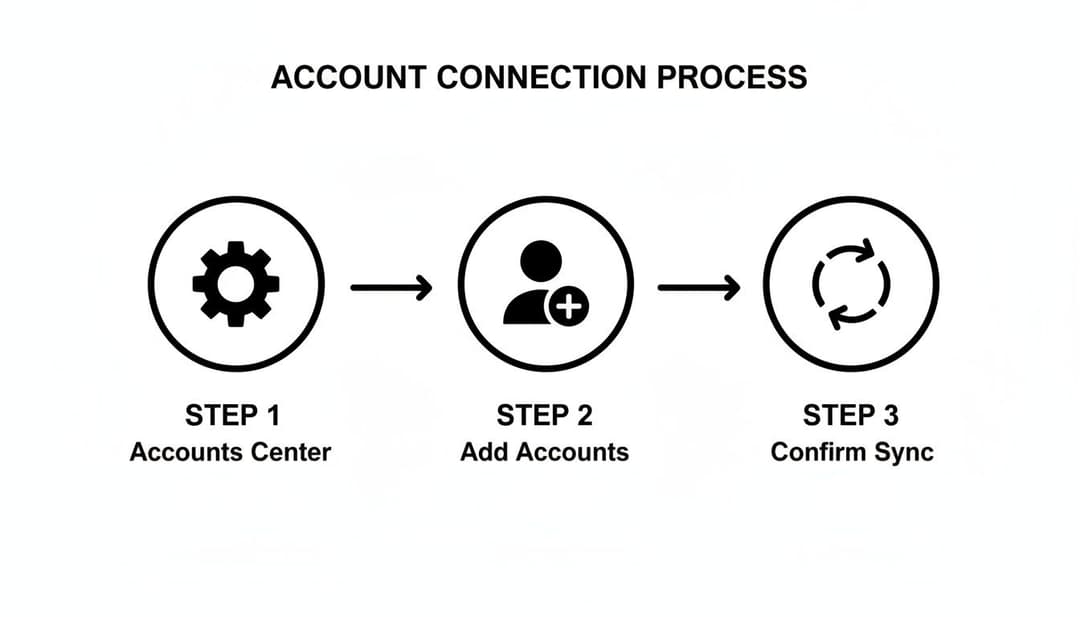
You’ll be guided from adding your accounts right through to confirming the sync, which is what activates all the shared experiences. By centralizing this connection, Meta has made it much easier for creators and marketers to manage their digital footprint.
And for anyone running paid ads, this setup is absolutely essential. It's the foundation for tracking conversions effectively. If that's part of your strategy, you'll also want to look into how to set up the Facebook Pixel to get the most accurate performance data.
Using Meta Business Suite for Smart Cross-Posting
Okay, so your accounts are linked. Now it’s time to move beyond just hitting "share" and start managing your content like a pro with the Meta Business Suite. Think of it as your command center. It’s a free platform that lets you create, schedule, and fine-tune your posts for both Facebook and Instagram from one screen, turning what used to be a chaotic juggling act into a smooth, organized workflow.
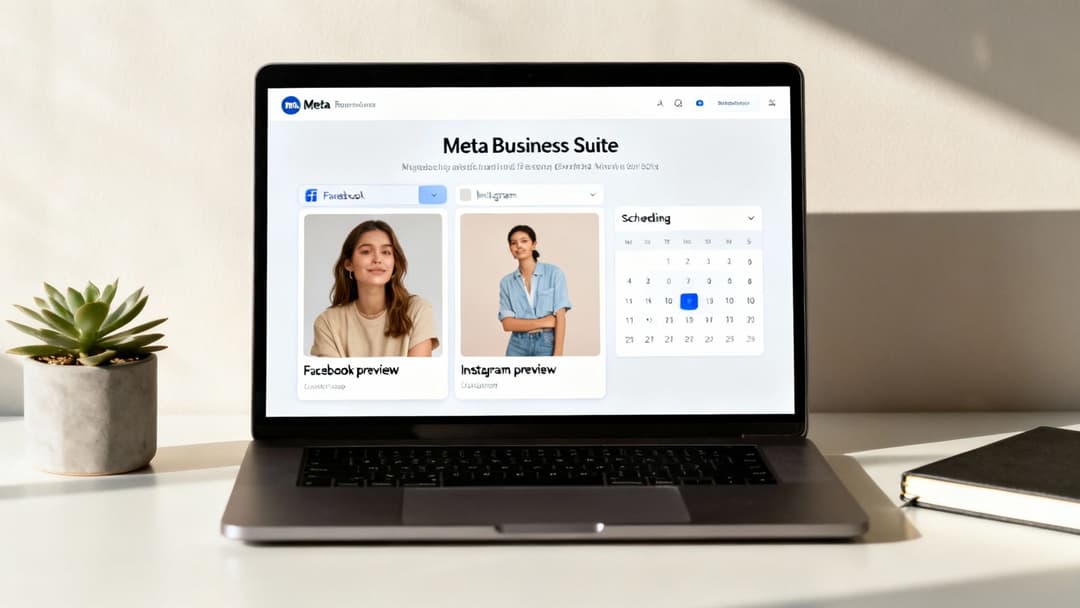
The real game-changer here isn't just posting the same exact thing everywhere at once. It’s the ability to draft once, then customize for each audience. You can write a solid base caption and then tweak it to match the unique vibe of your Facebook followers versus your Instagram crowd, all without having to start over from scratch.
Customizing Your Content in the Composer
Once you're inside the Business Suite’s content composer, you'll see side-by-side previews for your Facebook Page and your Instagram profile. This is where the magic really happens. After you've written your main caption and uploaded your photo or video, you can click into each separate preview to make platform-specific edits.
For example, you might have a longer, more descriptive caption with an external link that’s perfect for your Facebook audience. But for Instagram, you can easily shorten that same caption, add a "Link in bio" call-to-action, and load it up with a block of niche hashtags that would just look weird and out of place on your Facebook feed.
Pro Tip: Don't forget to check your image crops! A landscape photo that looks fantastic on Facebook might get awkwardly cut off on Instagram’s square or vertical-first grid. The built-in editor lets you quickly adjust the crop to make sure your visuals look sharp on both platforms.
This level of control makes a huge difference. It ensures your content feels native to each platform, which almost always leads to better performance. It’s the key to making it easy to post from Facebook to Instagram without sacrificing quality or engagement.
Scheduling for Maximum Impact
Maybe the single biggest time-saver in the Meta Business Suite is its scheduling tool. Instead of having to be online to post in real-time, you can plan out and schedule your entire content calendar weeks—or even months—ahead of schedule.
This is how you build a consistent presence without being chained to your desk or phone. You can batch-create all your content in one go, then set each piece to publish at the optimal times for its respective platform, ensuring you reach your audience right when they're most active and likely to engage.
Here’s what that looks like in practice:
- Batch Your Work: Spend a few hours on a Monday to create and schedule an entire week's worth of posts at once.
- Time It Right: Schedule an Instagram Reel to drop during the Tuesday evening commute and a Facebook link post for the Wednesday lunch break rush.
- Preview Everything: You get to see exactly how a post will look on each feed before it goes live, which is perfect for catching any weird formatting issues ahead of time.
For any busy marketer, this centralized approach is a lifesaver. And if you're also running paid campaigns, it perfectly complements tools like Ads Manager by keeping your organic content strategy organized and firing on all cylinders. If you're new to the paid side of things, you can get up to speed by exploring what Facebook Ads Manager is and how it all fits together.
Tailoring Your Content for Each Platform
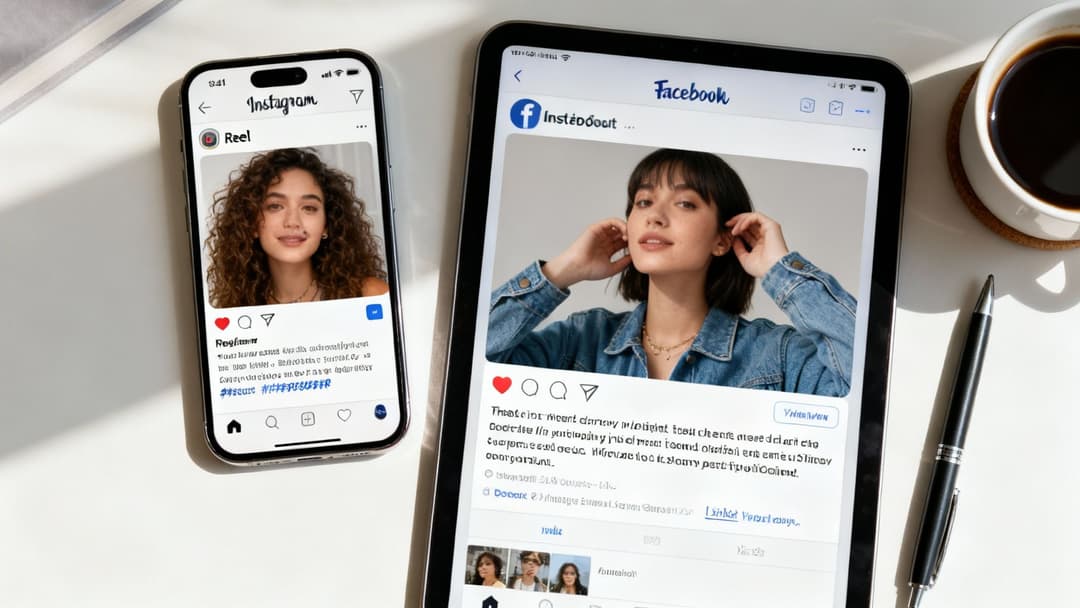
Just hitting "share to Instagram" on your Facebook post is a surefire way to see your engagement tank. It’s a rookie mistake. While both platforms live under the Meta umbrella, they have completely different cultures, user expectations, and algorithms. Success isn't about copying and pasting; it's about translating your message so it feels native wherever it shows up.
Think about it. A detailed Facebook post announcing a new product might have several paragraphs of text, a few customer quotes, and a direct link to your shop. If you just dump that onto Instagram, it's dead on arrival. The link is dead (unless it's in a Story or your bio), the long caption is a wall of text nobody will read, and a single product shot feels incredibly static in a feed designed for motion and aesthetics.
Transforming Your Message
The real trick is to break down your core message and rebuild it using each platform's unique strengths. That wordy, link-heavy Facebook update can be transformed into killer Instagram content with a few smart moves.
Here’s how you can rethink that product announcement for Instagram:
- Make it a Reel: Shoot a quick, snappy video showing the product in action. Slap on some trending audio and use bold text overlays to call out the main benefits. Done.
- Build a Carousel: Use a multi-image carousel post to create a mini-story. Walk your followers through the product’s features, one slide at a time, and end with a clear call-to-action slide telling them to hit the link in your bio.
- Use Instagram Stories: Build some hype first. Use interactive stickers like polls or quizzes to engage your audience ("What feature are you most excited for?") before the big reveal. Need help with the right dimensions? We've got a handy guide on the proper https://www.adstellar.ai/blog/size-of-instagram-stories to get you started.
The data doesn't lie—format is everything on Instagram. Influencer-led Reels can pull in 2.08% engagement, and carousels aren't far behind at 1.7%. Meanwhile, standard video posts lag at a measly 0.42%. Given that a massive 80.3% of Instagram's global users are also on Facebook, you can't afford to be lazy with your cross-posts.
Facebook vs Instagram Content Optimization
When you're adapting content, it's not just about the format. Every little detail, from the caption's tone to the image style, needs a second look. This table breaks down the key differences to keep in mind.
| Content Element | Best for Facebook | Best for Instagram |
|---|---|---|
| Visuals | Can use a mix of graphics, photos, and longer videos. Links in posts are okay. | High-quality, aesthetic images and short-form video (Reels) dominate. Polished look. |
| Captions | Longer, more informative captions work well. Can include multiple links. | Shorter, engaging captions with a clear CTA. Use emojis to add personality. |
| Hashtags | 2-4 broad, relevant hashtags are standard. | A mix of 5-15 popular, niche, and branded hashtags for discovery. |
| Call to Action | "Click the link to learn more." Direct and straightforward. | "Link in bio!" or "Tap the link in our Story." Indirect and drives to one main link. |
| Tone | Can be more informational, community-focused, or promotional. | More personal, inspirational, and visually-driven. Authenticity is key. |
Getting these small adjustments right is what separates content that just gets posted from content that actually performs.
Optimizing Captions And Hashtags
Your adaptation strategy has to include captions and hashtags. What reads perfectly fine on Facebook can feel clunky and out of place on Instagram.
A common mistake is using the same hashtag strategy for both. Facebook users typically respond to a few broad, searchable tags, while Instagram thrives on a mix of popular, niche, and community-specific hashtags that foster discovery.
For instance, a Facebook post for a marketing agency might use #Marketing and #SmallBusiness. The same post on Instagram should get more specific. You’d keep the broad ones but add targeted tags like #DigitalMarketingTips, #ContentStrategy, and #InstaGrowthHacks to tap into active communities.
Of course, even the most perfectly adapted post won't do you any good if you publish it when your audience is asleep. Understanding the best time to post on social media is the final piece of the puzzle to make sure your hard work actually gets seen.
Common Cross-Posting Mistakes and How to Fix Them
Automating your content is supposed to save you time, but the "set it and forget it" approach is loaded with traps that can seriously ding your engagement. When you just post from Facebook to Instagram without any tweaks, you're not just being inefficient; you're sending a clear signal to the algorithm—and your audience—that you're cutting corners.
One of the biggest blunders is ignoring how each platform treats native versus shared content. While some studies suggest Instagram-to-Facebook shares get more love, other real-world tests tell a different story. One analysis I came across found that native Facebook posts crushed cross-posts, pulling in a staggering 72.28% higher reach. It’s a pretty clear sign the algorithm heavily favors content created right on the platform. You can dig into the full findings from these social media cross-posting tests to see the data for yourself.
Ignoring Platform Specifics
So many people treat Facebook and Instagram as a monolith, and it leads to some glaring, easily avoidable mistakes. These little slip-ups instantly tell your followers that the content wasn't actually made for them, and that can kill your credibility.
Here are the usual suspects:
- Dead Links: You post a clickable link from a Facebook update, but on Instagram, it just sits there as dead, unclickable text in the caption.
- Awkward Cropping: That perfect landscape image from Facebook gets horribly cropped by Instagram’s vertical-first feed, cutting off key parts of the picture.
- Irrelevant Mentions: You tag a Facebook Page, but its handle is different on Instagram (or doesn't exist at all), resulting in a dead tag.
- Mismatched Hashtags: You use just two or three broad hashtags on Instagram—a strategy that makes more sense for Facebook’s search function but falls flat on IG.
The fix is simple but absolutely crucial: always use the preview function in Meta Business Suite before you hit publish. It lets you see exactly how your content will look on each platform, so you can make quick edits to captions, crops, and tags. Everything will feel intentional.
Overlooking Audience Expectations
Beyond the technical stuff, failing to adapt your tone is a major pitfall. A formal, link-heavy update that does great on your Facebook Page can feel jarring and way too salesy on a more personal, visual Instagram feed.
Your content should always match why people are on that specific app in the first place. Once you recognize those differences, you can avoid alienating your audience and make sure your message actually lands. On top of that, timing is everything. For a deeper dive, check out our guide on the best days to post to social media.
Turning Organic Wins into Paid Advertising Success
Here’s where the real magic happens. Linking your Facebook and Instagram accounts isn't just about making your life easier—it’s about turning your best organic content into powerful, revenue-generating ads.
Think about it. When you post from Facebook to Instagram, you're basically running a free focus group. Every like, comment, and share is a vote from your audience telling you exactly what they love. Don’t just let that data sit there. Your top-performing organic posts are proven winners, practically begging to be scaled up.
From Organic Post to Ad Campaign
Grab your most successful organic post—the one that got all the buzz—and make it the creative centerpiece for a new ad campaign inside Meta Ads Manager. This isn't about just boosting a post; it's about taking a proven concept and multiplying its impact.
From that single winning post, you can spin out countless ad variations. Test different headlines, tweak the ad copy, and experiment with different audience targeting. You're no longer guessing what might work. You already know the core concept resonates.
The big advantage here is social proof. When you promote a post that’s already dripping with likes and comments, you're starting with a massive head start. We consistently see that ads built from organically successful content have a lower cost-per-lead (CPL) and a much higher return on ad spend (ROAS).
This simple process bridges the gap between building a community and actually growing your business. You’re using real user engagement to guide your ad spend, which takes a ton of the guesswork out of the equation.
If you want to go deeper on building out the entire campaign structure, check out our complete guide to creating a powerful paid social media strategy.
Troubleshooting Common Issues
Why Didn't My Facebook Post Share to Instagram?
It happens to the best of us. You hit "Publish" on a post in Meta Business Suite, and it just never shows up on your Instagram feed. 9 times out of 10, the culprit is a glitchy connection in the Meta Accounts Center. Before you panic, just try re-syncing your accounts. It often solves the problem instantly.
Also, it’s surprisingly easy to select the wrong Instagram profile if you manage more than one. Double-check that you’ve ticked the right box for the correct account before posting.
Another big reason for failure is content mismatch. Instagram is notoriously picky about its formats. That beautiful landscape video you made for Facebook? It's likely too long or the wrong aspect ratio for Instagram's vertical-first world and will just fail to post without much of a warning.
Can I Cross-Post a Facebook Story to My Instagram Story?
Absolutely, and it's a huge time-saver. When you're building a Story on Facebook, look for the "Sharing Options" or privacy settings. In there, you'll find a simple toggle to automatically share the Story to your linked Instagram account. This is perfect for keeping a consistent presence without doing double the work.
Keep in mind that some interactive stickers won't make the jump. Facebook-specific polls or quizzes, for example, often break or don't function correctly on Instagram. For anything interactive, it’s always better to create it natively on the platform where you want people to engage.
Is It Better to Post Natively on Each Platform?
Honestly, yes. While cross-posting is a fantastic shortcut, the algorithms on both Facebook and Instagram tend to reward content created directly within their own apps. It just performs better.
Posting natively lets you tap into platform-specific gold, like using trending audio on Instagram Reels or setting up a detailed event on Facebook. You can't do that when cross-posting. A good strategy is to use cross-posting for your everyday announcements or simpler content, but always create unique, native posts for your most important campaigns to give them the best shot at success.
Ready to stop guessing and start scaling your Meta ads? AdStellar AI automates ad creation, identifies winning creative, and helps you launch campaigns 10x faster. Learn how AdStellar AI can boost your ROAS today.


