
An Instagram impression is counted every single time your content shows up on someone's screen. That’s it. It doesn’t matter if it’s the same person seeing it over and over again.
Think of it like a billboard on a busy highway. If one driver passes that same billboard five times on their weekly commute, that’s one unique driver (reach) but five total impressions.
What Impressions on Instagram Really Mean
At its most basic level, an impression is the purest measure of content delivery on Instagram. It simply answers the question, "How many times did my post, Story, or ad get displayed?"
It doesn't track whether someone stopped scrolling, smashed the like button, or even consciously noticed it. It’s just a raw tally of visibility. This simple count is the starting point for figuring out how your content is moving through the platform.
Whether someone sees your Reel in their feed, stumbles upon your photo on the Explore page, or watches your Story multiple times a day, each instance adds to your total impression count. For performance marketers, this is the very first signal that your campaigns are live and your content is actually being served to an audience.
Why This Simple Count Is So Important
So, why get excited about a simple view count? Because impressions are the bedrock on which every other meaningful metric is built. You can't get reach, engagement, or clicks without first getting an impression. They sit at the very top of the marketing funnel, representing the broadest possible exposure your content gets.
Here’s why they matter:
- It’s a measure of volume: Impressions tell you the sheer scale of your content’s distribution.
- It diagnoses delivery issues: A surprisingly low impression count can be an early red flag. Maybe an ad is set up wrong, or your organic post isn't resonating with the algorithm.
- It provides context for other metrics: Before you can judge your click-through or engagement rates, you need to know your impression volume. 100 clicks from 1,000 impressions is wildly different from 100 clicks from 100,000 impressions.
An impression is raw exposure. While it doesn't guarantee attention, it confirms opportunity—the chance for your message to be seen. A high number of impressions means the algorithm is actively showing your content.
Once you truly get this concept, you can start reading your Instagram data with a much sharper eye. It’s the first step from just posting content to strategically understanding its journey. If you're curious about how this metric plays out on other networks, you can learn more about impressions on social media in our detailed guide.
The Critical Difference Between Impressions and Reach
This is where a lot of marketers get tripped up, but nailing the difference between impressions and reach is a game-changer for your strategy. They might sound similar, but they tell two completely different stories about how your content is performing.
In simple terms, reach is the number of unique people who saw your content. Impressions are the total number of times your content was shown on a screen.
Think of it like a coffee shop handing out flyers. Reach tells you how many individual people received a flyer. Impressions count the total number of times a flyer was seen—even if one person saw the same one pinned to three different community boards.
A Practical Scenario Unpacked
Let's bring this into the real world of Instagram. Imagine a potential customer sees your new product ad in their main feed during their morning scroll. That’s 1 person reached and 1 impression.
Later that day, they see the same ad again, but this time as a Story they tap through. Your reach is still just 1, because it's the same person. Your impression count, however, is now 2. If they catch it a third time while browsing Reels that evening, your totals are now 1 person reached and 3 impressions.
This visual helps break down how these metrics relate to each other.
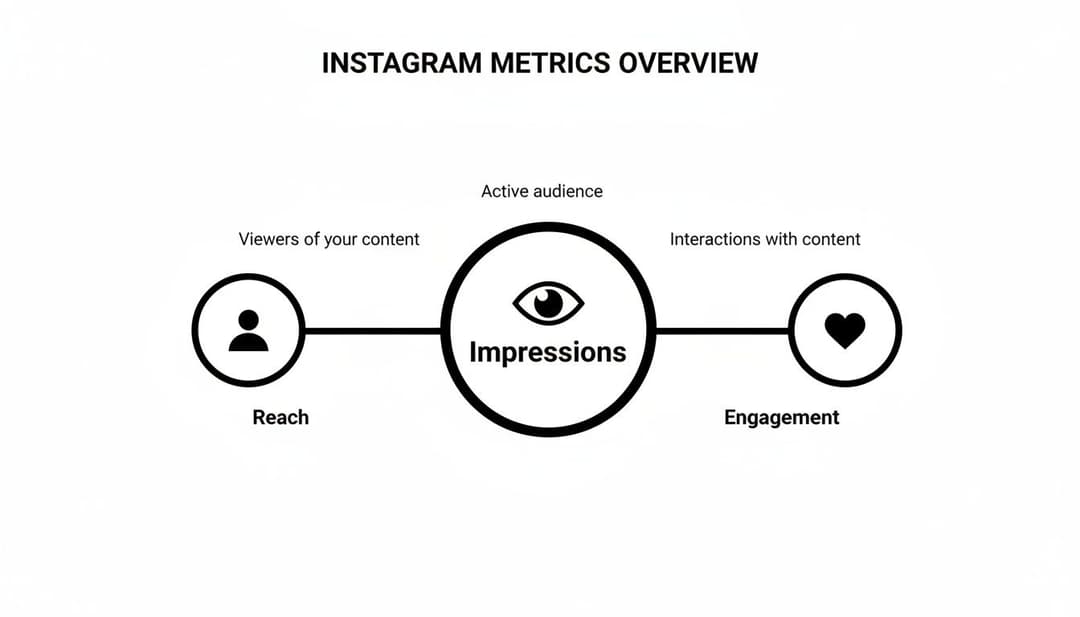
As the diagram shows, impressions represent the widest net of visibility. That visibility leads to a smaller, unique reach, which then creates the opportunity for your audience to actually engage.
Introducing Your Secret Weapon: Frequency
The relationship between these two numbers unlocks another crucial metric: Frequency. You can figure it out with a dead-simple formula: Impressions ÷ Reach = Frequency.
In our scenario, 3 impressions divided by 1 unique user gives us a frequency of 3. This tells you that, on average, each person who saw your ad saw it three times. Understanding this is absolutely critical for paid campaigns. To really get a handle on how Instagram measures exposure, it's worth exploring the nuances between different metrics; for instance, one great article digs into the Views vs Impressions debate.
How you interpret frequency really depends on your campaign goals:
- High Frequency: Could be a red flag for ad fatigue. If people are seeing the same ad too often, they’ll start to tune it out.
- Controlled High Frequency: For a retargeting campaign, a higher frequency might be exactly what you want to stay top-of-mind with a warm audience that's already shown interest.
The data points to an ecosystem where paid strategies are more important than ever. With a global ad reach hitting 1.74 billion as of early 2025—that's 33.3% of all internet users—the opportunity for impressions is massive. This also marks a 5.5% year-over-year increase in impression opportunities, giving growth teams plenty to work with as organic engagement continues to slide.
By keeping a close eye on these metrics, you can make much smarter calls on your budget and creative, especially when you're looking at the cost per impression rates for your campaigns.
How Instagram Counts and Categorizes Impressions
To really get a handle on what impressions mean for your strategy, you first have to understand how Instagram actually logs them. An impression gets counted the moment any piece of your content—a post, a Story, a Reel—appears on a user's screen. It doesn't matter if they flick right past it in a millisecond; if it was served, it's an impression.
This "instant count" is the whole game. It’s a pure measure of delivery, not attention or engagement. This is exactly why a post can rack up thousands of impressions without a matching jump in likes or comments. The system is simply confirming your content was delivered.
From there, Instagram breaks these impressions down into different buckets, and each one tells a different story. For performance marketers, the most important split is between organic and paid impressions.
Organic vs Paid Impressions
Organic impressions are all the views you earn without spending a dime on ads. These come from your existing followers seeing your posts in their Home feed, or from total strangers discovering you through hashtags, the Explore page, or shares from friends. When a Reel goes viral, that’s a tidal wave of organic impressions.
Paid impressions, on the other hand, are the views you buy through your ad campaigns. These are the impressions you purchase in Meta's ad auction, targeting specific audiences to hit a business goal. You can dig into all the details on these inside the platform, which we cover in our guide to what Facebook Ads Manager is and how it works.
Where an impression comes from completely changes its strategic value. An organic impression from a loyal follower is a sign of brand love. A paid impression to a new user is a calculated touchpoint at the top of your funnel.
Diagnosing Your Content Distribution
Beyond just organic versus paid, Instagram Insights gives you an even more detailed breakdown of where your impressions are coming from. This data is pure gold for figuring out how your content is getting distributed and which channels are actually working.
You’ll typically see your impression sources broken down like this:
- From Home: These are impressions from your followers seeing your content on their main feed. A high number here means you have strong visibility with your existing audience.
- From Profile: This counts views from people who actively visited your profile page and then looked at your content. It usually signals high intent or serious brand curiosity.
- From Hashtags: These impressions come from users who found your post by searching for or following a specific hashtag you used.
- From Explore: This is a huge source of discovery, representing users who stumbled upon your post on the Explore page. It's a massive signal that the algorithm thinks your content is relevant to a much broader audience.
By analyzing this breakdown, you can see if your hashtag strategy is paying off or if your content is good enough to land on the coveted Explore page. This isn't just data; it's a roadmap showing you exactly how people find you.
Where to Find Your Instagram Impression Data
Alright, so you know what impressions are. That's step one. Now, you need to know where to dig them up and what to do with them. Instagram doesn’t hide this stuff, but it splits the data into two key places depending on whether you’re looking at organic content or paid ads.
To get the full picture of your performance, you’ll need to get comfortable pulling data from both.
For all your day-to-day organic content—posts, Stories, and Reels—your go-to tool is Instagram Insights. This is the native analytics dashboard built right into every professional (Business or Creator) account. Think of it as your command center for tracking how your unpaid content is circulating.
For everything related to your ad spend, you'll be living in Meta Ads Manager. This is the heavy-duty platform where you build and track your paid campaigns. It offers a much deeper, more granular look at performance metrics, especially when it comes to paid impressions.
Locating Data in Instagram Insights
To get your hands on organic impression data, you’ll first need a professional account. If you’re still on a personal one, make the switch—it’s free and unlocks all your analytics. Once you’re set up, finding your metrics is just a few taps away.
Here’s exactly how to find it in the app:
- Head to Your Profile: Open up Instagram and tap on your profile picture in the bottom right.
- Open the Professional Dashboard: Right under your bio, you'll see a button for your "Professional dashboard." Tap that.
- View All Insights: Look for the Account Insights section and tap "See all" to open the main analytics screen.
- Drill Down to Impressions: The main screen defaults to "Accounts Reached." Tap on that. While it highlights reach first, just scroll down a bit, and you'll see your total Impressions for the time frame you've selected.
This dashboard is also great for checking out how a single piece of content performed. Just go to any post, Carousel, or Reel on your feed, tap "View Insights," and you'll see the impression count for that specific asset. It even breaks down where those views came from—like the Home feed, the Explore page, or hashtags.
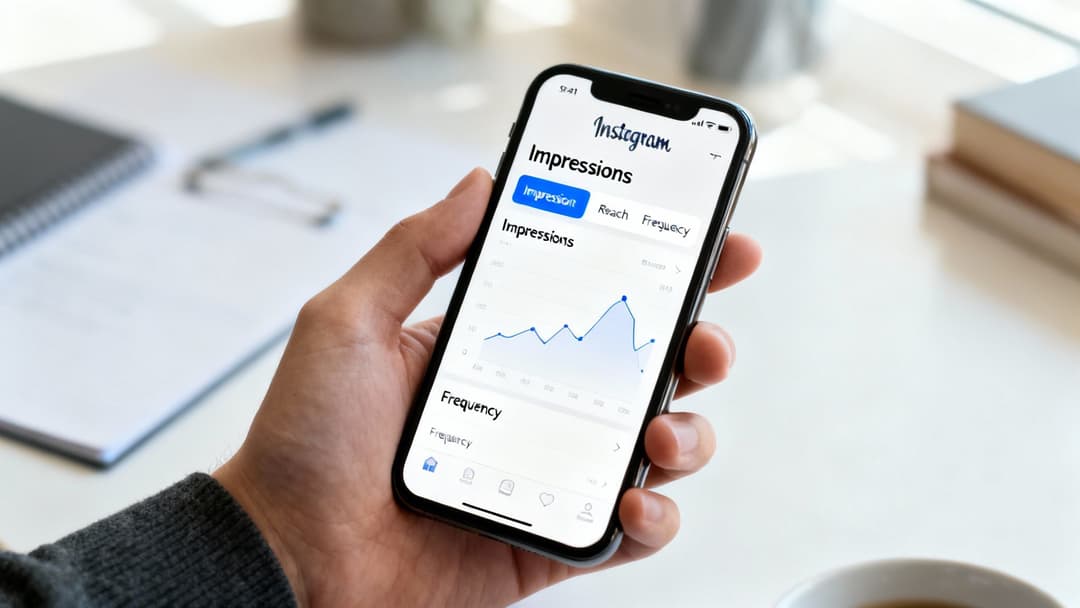
This is the kind of high-level view you’ll get inside your Insights. The graph makes it incredibly easy to spot trends, so you can see at a glance if a piece of content caused a spike or if your visibility dipped over the week.
Finding Paid Impressions in Meta Ads Manager
When money is on the line, Meta Ads Manager is your source of truth. The interface is definitely more complex than Instagram Insights, but it gives you an incredible amount of control over your reporting.
The secret to Ads Manager is customizing your columns. The default view often hides the good stuff. You have to tell it exactly which delivery metrics you want to see to get a meaningful analysis of your campaigns.
To pull up your paid impressions, log into Ads Manager and go to your campaigns tab. Look for the "Columns" dropdown menu, click it, and then select "Customize Columns." A window will pop up—just type "Impressions" into the search bar and check the box to add it to your report.
While you're in there, do yourself a favor and add Reach and Frequency, too. This setup is the holy trinity of delivery metrics. It shows you not just how many times your ads were seen (impressions), but also how many unique people saw them (reach) and the average number of times each person saw them (frequency). That’s how you start connecting the dots.
Using Impressions to Optimize Your Ad Campaigns
Once you get past the basic definition, impressions become an incredibly powerful diagnostic tool for anyone running paid ads. In the world of performance marketing, impressions are the raw fuel for your campaigns. They’re directly tied to how your budget gets spent and how your ads are delivered to your audience.
Think of impressions as an engine's output. A steady, high volume shows your campaign is running smoothly and scaling the way it should. But if that volume suddenly drops or starts to sputter, it’s often the first sign of trouble—giving you a chance to look under the hood before your performance stalls out completely.
This metric is especially critical if you're using a Cost Per 1,000 Impressions (CPM) bidding strategy. With CPM bidding, you are literally paying for every thousand times your ad is shown. Keeping a close eye on your impression volume is non-negotiable to make sure you're getting the visibility you paid for. You can find more details on how these costs break down in our complete guide on Instagram advertising prices.
Diagnosing Campaign Health with Impression Data
Impressions are far more than just a vanity metric. They are a leading indicator of campaign health, especially when you analyze them alongside other key performance indicators. Paying attention to impression trends can help you spot big problems like audience saturation and ad fatigue before they do serious damage to your return on ad spend (ROAS).
Here are two classic scenarios where impressions act as an early warning system:
- Rising Impressions, Declining Clicks: If you see your impression count climbing but your click-through rate (CTR) is tanking, it's a textbook sign of ad fatigue. Your audience has seen your ad too many times and is starting to tune it out. This is your cue to refresh your creative or maybe test out a new offer.
- Stagnant Impressions: When your impression volume hits a plateau and just won't budge—even with plenty of budget—you're likely dealing with audience saturation. This means you've pretty much shown your ad to everyone in your target audience who is active on the platform. It's time to expand your targeting or find new audience segments if you want to scale further.
The Scale of Opportunity for Impressions
To really appreciate the value of impressions, you have to understand the sheer scale of Instagram's ad ecosystem. Global ad revenue on the platform is projected to hit an incredible $67.27 billion in 2025, all fueled by a massive ad reach of 1.74 billion users.
This environment created 90.8 million more ad-eligible impression opportunities between early 2024 and 2025 alone—a growth of 5.5%. As organic engagement rates have fallen, mastering paid impressions has become essential for growth. The data shows that high-engagement formats like Carousels are particularly effective, as their interactive nature encourages longer viewing times, which the algorithm loves. You can discover more insights on these Instagram statistics and their impact on advertising.
By treating impressions as a diagnostic tool rather than just a top-line number, you can make smarter, data-driven decisions. This approach allows you to optimize ad spend, improve campaign efficiency, and scale your results more effectively.
Actionable Strategies to Increase Your Impressions
Alright, you know what impressions are. Now for the fun part: getting more of them. The goal isn't just to see that number climb for vanity's sake; it’s about strategically getting your content in front of more eyeballs, more often. This is how you fuel the top of your marketing funnel.
The trick is to play nice with the algorithm instead of fighting against it. For organic growth, that means leaning into the content formats Instagram is already pushing.
Instagram ads can now tap into a massive audience of 1.74 billion people worldwide. But as feeds get more cluttered, organic engagement has taken a hit, now averaging just 0.50%. The data is clear: Carousels (0.55%) and Reels (0.50%) are outperforming static images. If you want more views, those are the formats to focus on.
Boosting Your Organic Impressions
When it comes to your organic content, consistency and community are your most powerful allies for racking up views. A random, throw-it-at-the-wall-and-see-what-sticks approach just isn't going to work.
- Refine Your Hashtag Strategy: Don't just copy and paste the most popular tags. Your best bet is a smart mix of broad, niche, and branded hashtags. This helps you show up in more targeted searches and on the Explore page.
- Engage with Your Community: Get in there and respond to comments and DMs—and do it quickly. This back-and-forth signals to the algorithm that your content is valuable, which encourages it to show your posts to a wider audience.
- Post at Optimal Times: Sometimes, visibility is all about timing. Publishing when your audience is scrolling gives your content an instant impression boost right out of the gate. Check out our guide on the best days to post to social media to learn more.
Gaining impressions isn't just about what you post, but how you participate. Active engagement with followers and other accounts in your niche is a powerful signal that tells Instagram your account is a valuable part of the community.
Scaling Paid Impressions Effectively
For your paid campaigns, the game is all about maximizing delivery without blowing your budget or showing your ads to the wrong people.
This comes down to smart audience management and creative testing. To really expand your content's footprint, dialing in the optimal Instagram Story length can drive the kind of peak engagement that boosts impression counts.
Think about broadening your target audiences just a little, testing fresh ad creatives to fight ad fatigue, and tweaking your bidding strategy to prioritize impressions. These moves ensure your budget is getting maximum visibility with new, interested users.
Got Questions About Instagram Impressions?
Once you get the hang of the basics, a few common questions always seem to pop up when you're digging into the data. Let's tackle some of the ones we hear most often so you can interpret your own metrics with more confidence.
Are More Impressions Always a Good Thing?
Not really. While a huge impression count proves your content is getting pushed out there, it’s just noise if it’s not reaching the right people. Think of it as a delivery receipt, not a sales receipt.
A million impressions served to a totally irrelevant audience won't move the needle on sales. You’d be far better off with 10,000 impressions delivered to a super-qualified group that's actually likely to buy. Always look at impressions next to metrics that measure real impact, like click-through rate (CTR) or return on ad spend (ROAS).
Why Did My Instagram Impressions Suddenly Drop?
A sudden nosedive in impressions is a classic problem, and the cause usually depends on whether we're talking about organic posts or paid ads.
- For Paid Ads: The usual suspects are ad fatigue (your audience is just plain tired of seeing the same creative) or a tapped-out budget. Sometimes, it’s just that competition in the ad auction has ramped up, making it more expensive to get your ad seen.
- For Organic Posts: A dip could be a sign that the Instagram algorithm has shifted. It could also mean your latest content isn't getting as much engagement, which tells the algorithm it's less relevant. Or, you might just be posting at the wrong times when your audience isn't scrolling.
Impressions are a diagnostic metric. A sudden drop is your first clue that something in your strategy—be it your creative, your timing, or your targeting—needs a second look.
How Do Story Impressions Differ from Feed Impressions?
They're counted when the content hits the screen, but the user experience is worlds apart. A Story impression registers the split-second its first frame loads. Since people tap through Stories at lightning speed, these impressions can be incredibly brief.
On the other hand, an impression on a feed post might hold someone's attention for a few solid seconds as they scroll and pause. It's vital to analyze these metrics in their own context because user behavior and intent are completely different for each format.
Ready to turn impression data into scalable campaigns? AdStellar AI helps you launch, test, and optimize Meta ads 10x faster. Learn how AdStellar AI can automate your campaign creation and unlock more revenue.


