You publish a listing, double-check the photos, write a clean title, and then Facebook Marketplace says In Review. That's the moment most sellers either panic or make the problem worse by editing the listing too fast, duplicating it, or stuffing in more keywords.
The frustrating part is that review status doesn't always mean you broke a rule. Sometimes Facebook is checking policy compliance. Sometimes the system is reacting to patterns that look risky even when your listing is legitimate. If you're dealing with Facebook Marketplace in review right now, the fix usually comes from slowing down, identifying what specifically triggered the hold, and responding in a way the system can process cleanly.
What In Review Means on Facebook Marketplace
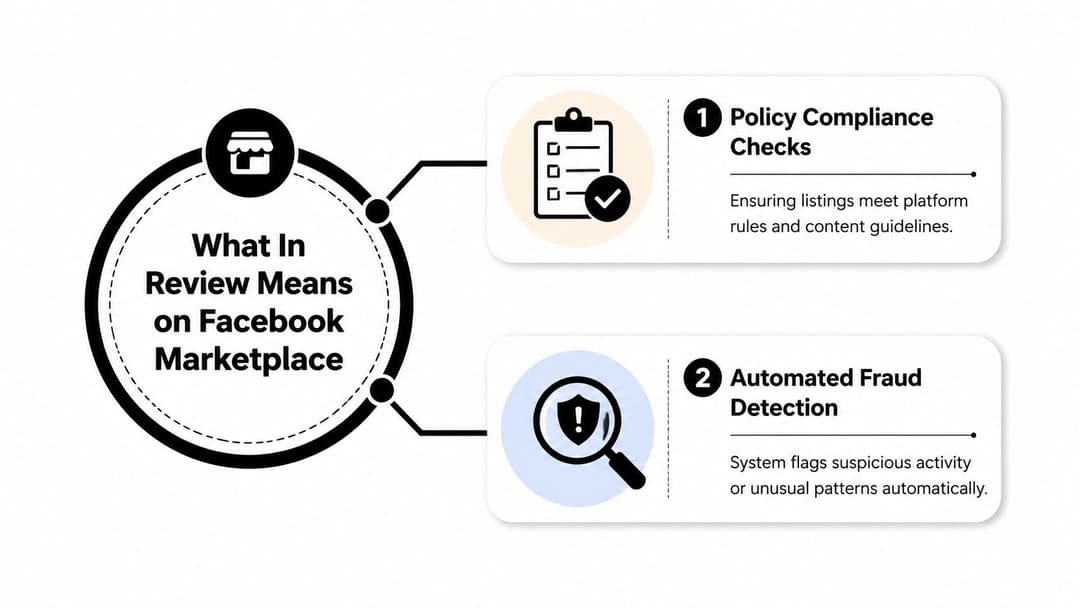
When a listing shows In Review, Facebook Marketplace has temporarily paused distribution while it checks the listing. In practice, that usually means one of two things is happening. The platform is either running a policy compliance check or an automated fraud detection check.
Facebook Marketplace operates at huge scale, which helps explain why automation plays such a big role. It holds 51.19% of the global social commerce market and engages 1.2 billion monthly active users as of October 2025, according to Facebook Marketplace statistics compiled by Sci-Tech Today. At that volume, review decisions often start with systems, not people.
The first layer is listing review
This is the part most sellers already know. Facebook checks whether your listing appears to violate commerce rules, category rules, or content standards. That can include restricted products, misleading descriptions, duplicate listings, and pricing that looks disconnected from the item or category.
If you've ever worked through Facebook advertising guidelines, the logic feels familiar. The system is looking for policy fit and trust signals before it gives your listing reach.
The second layer is trust review
This is the part many guides miss. Facebook Marketplace doesn't only evaluate the item. It also evaluates the account behavior around the item. That includes whether the listing pattern, wording, image style, or account activity looks normal enough to distribute safely.
Fresh photos and recent wording changes can sometimes work against you. A seller thinks, “I improved the listing.” The system sometimes reads, “This pattern changed.”
Practical rule: Don't assume “In Review” means guilt. It often means the system wants more confidence before showing your listing widely.
What it means for visibility
A listing in review usually won't get normal Marketplace exposure while the check is active. That's why timing matters. If the item is seasonal, urgent, or high-demand, even a short stall can cost momentum.
This is why experienced sellers avoid random edits once a review starts. Clean diagnosis beats frantic activity every time.
Common Causes and Expected Timelines for Reviews
Most review holds fall into a few repeat categories. Some are obvious. Others come from automation overreacting to normal seller behavior.
The most common mistake I see is treating every hold like a policy violation. That leads sellers to rewrite everything from scratch, which often adds more instability instead of helping. Since 2024, algorithmic false positives for legitimate sellers using new photos or unusual keyword ratios have surged, leaving more listings stalled, as noted in LitCommerce's analysis of Facebook Marketplace reviews.
The triggers that show up most often
A listing can get reviewed for reasons like these:
- Duplicate language: Reusing the same title or body copy across similar items can make the system think you're mass posting.
- Price outliers: If the price looks too low, too high, or inconsistent with the category, Facebook may pause the listing for inspection.
- Fresh photo patterns: New images can help buyers, but some image changes appear suspicious to automated checks.
- Keyword ratio shifts: When titles and descriptions get aggressively rewritten, the listing can trip over-sensitive detection.
- Category mismatch: A legitimate item in the wrong category often gets held because the listing doesn't align with the platform's expectations.
If your team also manages ads, Meta ads campaign launch delays are a useful comparison. The same general lesson applies. Automated systems delay content when signals conflict, even if the asset itself is fine.
Review triggers and durations
| Review Cause | Typical Timeline |
|---|---|
| Duplicate descriptions or repeated listing patterns | Often short, but can extend if you keep editing |
| Price outliers | Often short if the rest of the listing is clean |
| Fresh photo flags | Can linger if the image set looks inconsistent with past behavior |
| Unusual keyword ratios | Often longer when multiple edits happen close together |
| Wrong category or mismatched item details | Usually resolved faster after a clean correction |
That table is intentionally qualitative. Facebook doesn't give reliable public timelines for each trigger, and seller outcomes vary based on account history, category, and whether the listing keeps changing during review.
If the listing is already under review, repeated edits usually hurt more than they help.
What works and what usually doesn't
What works is narrowing the likely trigger and making one controlled correction. What doesn't work is changing title, category, price, and photos all at once. When you do that, Facebook has to reassess a moving target.
A clean listing with one obvious fix gets through more often than a heavily revised listing that now looks entirely different from the one that was first submitted.
How to Resolve or Appeal Review Status
When a listing is stuck, move in sequence. Don't start with an emotional appeal to support. Start by cleaning the listing so your appeal has something defensible behind it.

Audit the listing before you touch support
Check the listing in this order:
Category fit
Make sure the item belongs exactly where you placed it. “Close enough” isn't good enough on Marketplace.Title clarity
Remove hype words, excessive capitalization, and stacked search terms.Photo consistency
Keep the images clear and real, but avoid uploading a wildly mixed set that changes the listing's visual pattern all at once.Price realism
If the number looks extreme for the item type, adjust it to a believable range.Description balance
Include useful details, but don't repeat brand names, models, or keyword phrases unnaturally.
Fix the likely AI trigger, not the whole listing
At this point, many sellers blow up a recoverable review.
If you suspect the hold came from fresh images, don't also rewrite the title and slash the price. If you suspect keyword ratio problems, don't upload a whole new gallery at the same time. Make one primary correction, then let the system evaluate a stable version.
A good rule is to ask: what changed right before the review happened? That change is your first suspect.
Field note: The fastest appeals usually come from sellers who can say exactly what they reviewed, what they corrected, and why the listing now fits policy.
Send a support message that sounds like a competent seller
Once the listing is clean, submit the appeal. Keep it plain and specific.
Use a message like this:
Hello, this listing appears to be legitimate and compliant. I reviewed the item details, category, pricing, and description, and I corrected any elements that may have triggered automated review. Please recheck the listing for approval. The item is accurately described and uses original photos.
If you changed the category:
Hello, I reviewed this listing and found the original category may not have been the best fit. I updated it so the item now matches the correct Marketplace category. Please review again when possible.
If you changed wording because of keyword overload:
Hello, I revised the title and description to make them clearer and more natural. The listing now reflects the actual item details without repetitive wording. Please review and restore if eligible.
For account-level issues, it also helps to keep your identity and business details tidy. If Facebook is asking for deeper trust signals, Meta Business verification can help you understand the documents and consistency checks that often matter across Meta properties.
Use reviewer profiles to strengthen your appeal
This is the most overlooked tactic in Facebook Marketplace in review cases. Users can toggle between reviewer-as-seller and reviewer-as-buyer views to spot different trust signals, as shown in this YouTube walkthrough on Facebook Marketplace review profiles.
That matters because profile feedback is directional. A person can look reliable as a seller and difficult as a buyer, or the reverse. Most articles mention ratings in general. Very few explain how to use those two layers when you're writing an appeal or deciding how to communicate with a buyer during a stalled transaction.
How to apply the dual-layer review signal
Use it in two ways.
When a buyer is waiting on your reviewed listing
If the buyer-side profile suggests the person is impatient, argumentative, or inconsistent, keep your communication tighter and more documented.
Message template:
Hi, the listing is currently under Facebook review, so visibility and normal processing are temporarily limited. I've already submitted a clean request for recheck. If you're still interested once it clears, I'll confirm availability right away.
If the seller-side view looks strong and the buyer-side view also looks reasonable, you can be a little warmer:
Hi, Facebook has the item in review at the moment. I've already cleaned up the listing and requested a recheck. I'll message you as soon as it's live again so you get first chance to purchase.
When you write your appeal
You're not sending buyer screenshots into support. You're using the profile insight to shape your own tone and precision. If your recent interactions involve a difficult buyer, keep your appeal factual and detached. Don't mention drama. Don't include emotional context. Support agents and systems respond better to a clean compliance narrative than a dispute narrative.
Here's a simple appeal structure that works well:
- State the issue: listing is under review
- Confirm the audit: category, photos, title, price, description checked
- Name the correction: one main adjustment
- Ask clearly: request manual review or recheck
To see the process visually, this overview is useful before you file your next request:
What not to do during an appeal
- Don't duplicate the listing while the original is pending.
- Don't submit multiple conflicting stories through repeated tickets.
- Don't accuse Facebook of being broken in the appeal text.
- Don't over-explain with paragraphs of frustration.
Support needs a clear file, not a rant.
Best Practices to Prevent Listing Reviews
The best fix is avoiding review holds in the first place. That doesn't mean posting bland listings. It means giving the system a pattern it can classify confidently.
Build a listing style the system recognizes
Sellers get into trouble when every post looks like it came from a different account. Keep your photo style, title format, and description structure steady across listings.
If you need better images without creating chaotic visual differences between products, it helps to streamline e-commerce photography with AI. The key is consistency, not overproduction.
Use this prevention checklist
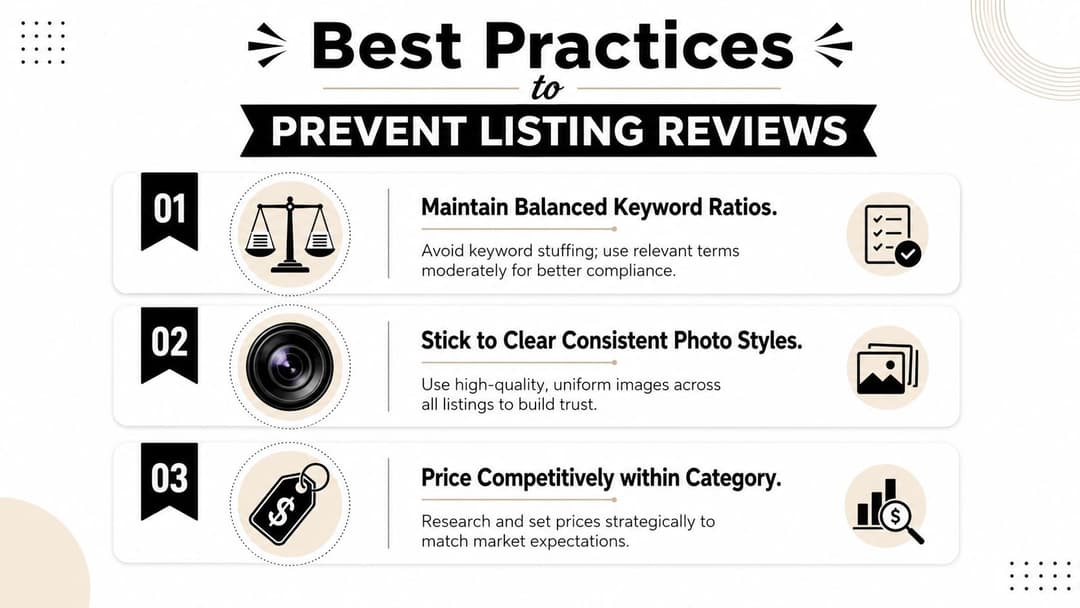
- Balance keywords naturally: Put the item type, brand, model, and condition where they belong. Don't repeat terms just because you think search needs it.
- Keep photo treatment consistent: Similar backgrounds, lighting, and framing help your listings look trustworthy to both buyers and systems.
- Price inside category reality: Extreme prices attract review attention fast.
- Audit old listings for patterns: If your reviewed listings share the same title style, image style, or category mistake, fix the pattern instead of treating each case as random.
- Post from a stable business presence: If you sell regularly, a more complete brand footprint helps. Setting up a stronger presence through creating a Facebook Business Page can support credibility across your activity.
A seller with consistent listing habits usually gets fewer holds than a seller who “optimizes” every post in a different way.
Real-world trade-off that matters
Freshness helps buyers. Consistency helps approval. Good sellers learn how to do both.
That usually means updating one variable at a time. Improve photos, but keep the title format familiar. Refine the title, but don't also rebuild the gallery and reprice the item at the same moment. Small controlled changes are easier for Facebook to trust than dramatic resets.
Conclusion and Next Steps
Facebook Marketplace in review isn't just a policy problem. It's often a pattern-recognition problem. The sellers who recover fastest are the ones who identify the likely trigger, make one clean correction, and send an appeal that reads like a compliance check, not a complaint.
Keep your next steps simple:
- Review your current listing for category, price, photo consistency, and keyword balance
- Submit one clean appeal with a specific correction
- Use buyer and seller review views to shape how you communicate during delays
- Run a weekly listing audit so recurring patterns don't keep triggering holds
- Watch trust signals across your account and keep your profile details consistent
If you also want to strengthen the credibility signals around your Meta presence, review what's involved in getting a Facebook account verified.
If your team is also managing Meta campaigns and wants to move faster without the usual setup drag, AdStellar AI helps you launch, test, and scale campaigns with less manual work. It's built for marketers who need speed, variation, and clearer performance signals across creative, audiences, and campaign structure.